
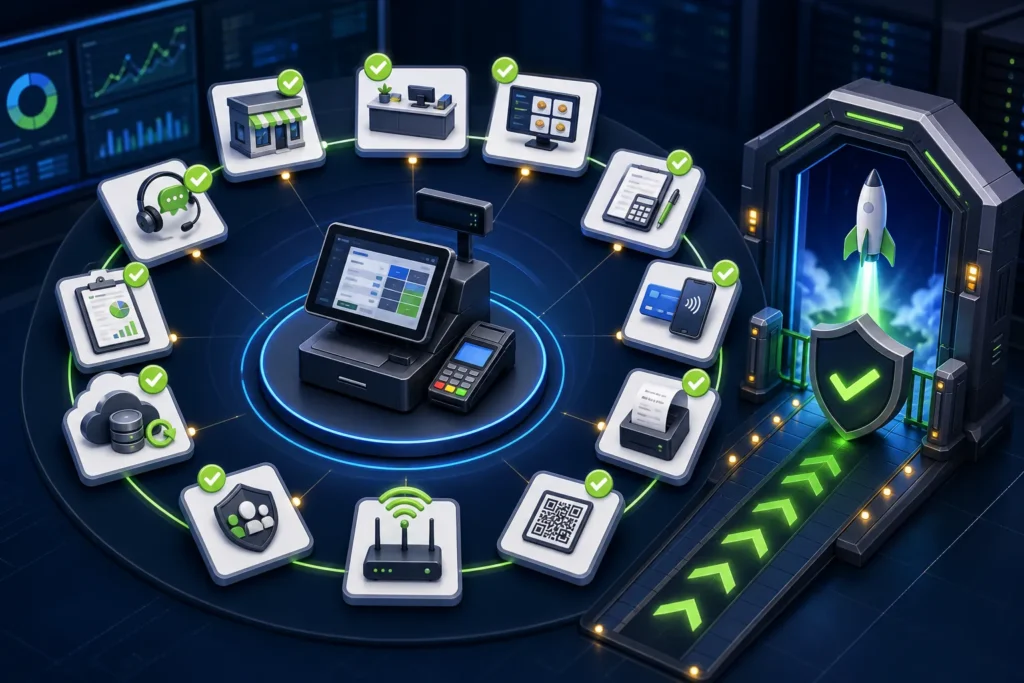
Do not issue the first production PRA-connected invoice until the business has proved its registration and branch/counter mapping, sandbox configuration, invoice calculations, fiscal response storage, receipt and QR output, return workflow, outage behavior, permissions, backups, monitoring and reconciliation. The 25 tests below are a practical implementation gate; adapt them to the business’s approved scope and current PRA requirements.
Reviewed 28 August 2026. This article covers software and operational workflow, not legal or tax advice. Confirm current PRA applicability, service classification, rates, notices and invoice treatment for the specific business.
PRA POS integration technical documentation
For technical implementation, start with the official PRA Software Fiscal Device Technical Specification and the current eIMS portal user guides and installer resources. This checklist turns those technical materials into 25 practical go-live tests for POS ID, invoice data and fiscal response handling, receipt and QR output, retries, returns, security and reconciliation. It supplements—not replaces—the current PRA documentation.
Official PRA SFD Technical Specification | Official PRA eIMS guides and installer portal
Technical links rechecked 4 October 2026.
How to use this checklist
Assign an owner, expected result, evidence and pass/fail status to each test. “The vendor says it works” is not evidence. Use screenshots without credentials, sample receipts, logs, reconciliation reports and signed user-acceptance results.
| Field | Record |
|---|---|
| Test ID | Unique number from this checklist |
| Environment | Sandbox or controlled production validation |
| Expected result | Specific measurable outcome |
| Actual result | What happened |
| Evidence | Receipt, log, screenshot or report |
| Owner/sign-off | Business and technical reviewer |
Registration and environment tests
- Taxpayer profile. Confirm the implementation uses the correct authorized PRA profile.
- Branch mapping. Match approved branch name/address to the POS master.
- Counter identity. Confirm every billing point has a unique name and correct POS ID.
- Sandbox identity. Verify the test POS ID is used only in sandbox.
- Production isolation. Confirm live credentials/URLs are absent from test and test IDs are absent from production.
POS master-data and calculation tests
- Item/service master. Check names, codes, classification, price and branch availability.
- Single-item sale. Validate quantity, sale value, tax and total.
- Multi-item sale. Confirm line totals equal header totals.
- Discount. Test approved item/bill discount and approver trace.
- Rounding. Confirm screen, payload, receipt and report use the same result.
Payment and invoice-model tests
- Cash payment. Match invoice and cash-drawer expectation.
- Card payment. Match POS, terminal/gateway reference and settlement.
- Mixed payment. Test only if supported and approved.
- USIN uniqueness. Prove the business invoice number never changes on retry.
- Required fields. Validate POSID, date/time, invoice type, items and applicable buyer fields.
Fiscalisation, receipt and verification tests
- Successful submission. Store response and fiscal number on the same invoice.
- Receipt. Print correct totals and fiscal reference on actual thermal hardware.
- QR scan. Open the official search route and match the invoice.
- Reprint. Reprint the same accepted invoice without a new submission.
- Official report. Find the test/approved invoice in the relevant IMS report/search path.
Exception, security and closing tests
- Return/credit. Reference the original USIN using the supported adjustment workflow.
- Timeout/uncertain response. Prove the POS checks prior acceptance before retry.
- Service or internet outage. Execute the documented continuity and recovery process.
- Permissions and secrets. Confirm cashiers cannot view credentials or perform uncontrolled retry/delete actions.
- End-of-day reconciliation. Match POS invoices, fiscal statuses, payments, official records and closing totals.
Pass/fail acceptance criteria
| Result | Meaning | Action |
|---|---|---|
| Pass | Expected outcome met with evidence | Include in release sign-off |
| Pass with observation | Minor issue does not change correctness | Record owner and deadline |
| Fail | Incorrect data, unsafe retry, bad receipt or unreconciled result | Fix and rerun |
| Blocked | Dependency or official confirmation missing | Do not go live on that scope |
Production cutover checklist
- Approved software and receipt-template versions recorded
- Database and configuration backup tested
- Production credentials installed by authorized person
- System time and timezone verified
- Printer paper and spare hardware ready
- Cashier, supervisor, accounts and support staff scheduled
- Official and vendor escalation contacts available
- First-live-invoice reviewer named
- Rollback/stop decision documented
- Branch opening balances and cash float confirmed
First production invoice procedure
- Use a genuine, approved business transaction—not a fake sale.
- Confirm branch/counter and cashier.
- Review items, treatment, discount and total.
- Collect/record payment normally.
- Finalize one USIN and submit once.
- Store the fiscal number and print receipt.
- Scan QR and compare the official result.
- Check payment and drawer/settlement.
- Review logs for hidden warnings.
- Approve before scaling to more counters.
Security review
Production tokens, access codes and passwords must not appear in test evidence or public logs. Verify TLS certificates and hostname validation. Remove temporary administrator access and shared vendor accounts. Record who can change tax settings, branch mapping, endpoints and credentials.
Operational readiness by role
| Role | Must demonstrate |
|---|---|
| Cashier | Normal invoice, payment, receipt and escalation |
| Supervisor | Discount, cancellation, reprint and incident control |
| Accounts | Payments, returns and daily reconciliation |
| IT/support | Service health, logs, backups and secure configuration |
| Management | Exception dashboard and go/no-go authority |
Go/no-go rules
Do not go live when branch identity is uncertain, totals do not match, receipt/QR fails, retries can duplicate invoices, production secrets are exposed, return workflow is undefined or end-of-day reconciliation cannot be completed. A delayed launch is safer than a production trail that cannot be explained.
Frequently asked questions
Can we skip sandbox if the vendor has another client?
No. Your branch, menu, devices, payment flow, receipt and roles are specific. Test the actual scope.
Should we test in production?
Use sandbox for integration testing. The first production validation should be a controlled genuine transaction after approvals, not random test data.
Who signs off?
At minimum, the business process owner, accounts/tax reviewer and technical implementer should approve their areas.
What if one test fails?
Fix the cause and rerun affected tests. Do not waive failures involving identity, totals, receipt, security, duplication or reconciliation.
Need a structured go-live review?
NexZion Solutions can turn these checks into a business-specific test script, collect evidence, train roles and support the first production reconciliation.
Book PRA Go-Live Assessment PRA eIMS software installation & POS integration PRA eIMS installer guide
Official sources reviewed
- PRA Software Fiscal Device Technical Specification, version 1.2
- PRA POS invoice-search facility
- PRA IRIS
- Punjab Sales Tax on Services Act 2012, Chapter V
Reviewed 28 August 2026. The technical specification and public portals can change; verify production behavior and current legal requirements before relying on them.
Related: sandbox versus production, registration guide, troubleshooting, and 30-day POS implementation plan.
Advanced go-live tests
NexZion Solutions publishes practical guides based on business-software, compliance-workflow, website and automation implementation experience in Pakistan.

