
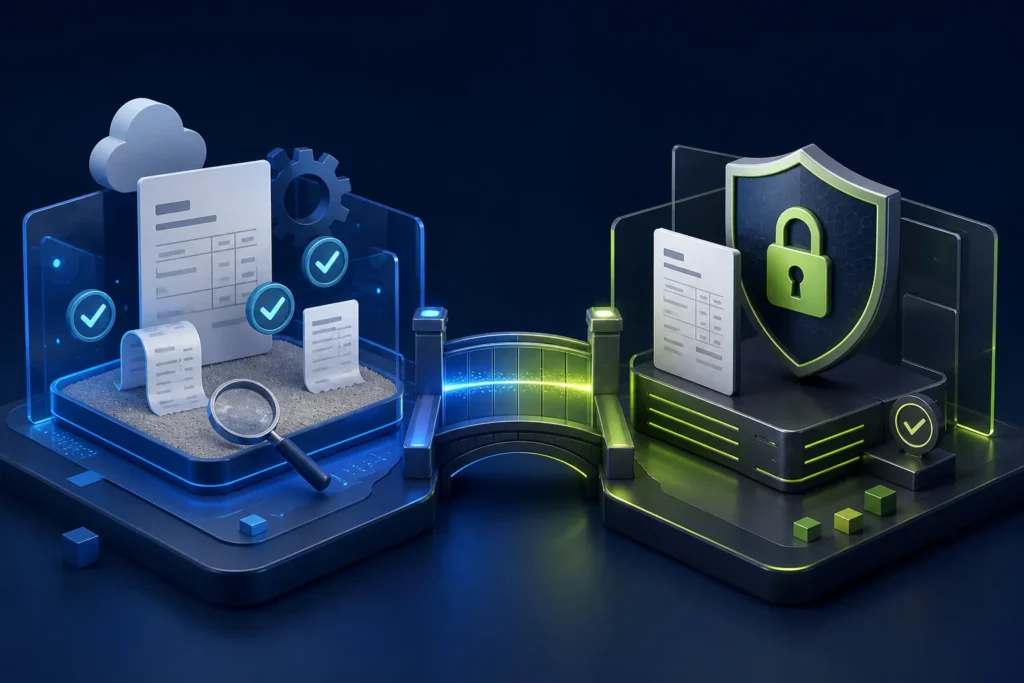
The PRA eIMS sandbox is the pre-production environment for proving that a POS can build the required invoice data, submit it through the configured fiscalisation path, handle the response and print the intended receipt without treating test activity as live business billing. Production uses the live POS identity and credentials. Keep the two environments separate in configuration, users, logs and evidence; never “test” uncertain changes by sending random production invoices.
Reviewed 28 August 2026. This article explains software implementation, not legal or tax advice. Businesses should confirm current PRA applicability, registration, service classification, rates and notices for their own circumstances through PRA or a qualified adviser.
Sandbox and production at a glance
| Control | Sandbox | Production |
|---|---|---|
| Purpose | Integration and user-acceptance testing | Live business invoicing |
| Identity | Test POS ID | Production POS ID |
| Data | Controlled representative test cases | Actual approved business transactions |
| Access | Implementation team and testers | Restricted production roles |
| Change process | Iterate and retest | Approved release with rollback/support plan |
| Evidence | Expected-versus-actual results | Monitoring, receipts and reconciliation |
What PRA’s specification says
The published SFD document describes generating test POS IDs for pre-production integration. For local installation it says the same setup is used, with “Sandbox” selected for the test POS ID and “Production” for the live POS ID. It also lists separate sandbox and production URLs for cloud posting. Those details show why environment selection and credentials must not be mixed.
Build a realistic test pack
A single zero-value sample is not enough. The test pack should represent normal sales and operational exceptions without inventing tax treatment. Have the accountant or authorized adviser confirm the classifications and rates used in the test configuration.
- Single-item and multi-item invoice
- Quantity greater than one
- Cash and card payment
- Approved mixed payment where supported
- Item discount and bill-level discount
- Rounding edge case
- Customer details when applicable
- Credit/return linked to an original USIN
- Printer reprint that does not resubmit
- Connectivity interruption and controlled recovery
- Restart of POS and fiscal service
- Branch and counter separation
Validate more than the response code
A technically successful response can still produce a poor business result. For every test compare:
- Order or service record in the operational system
- POS invoice header and lines
- Payload prepared for fiscalisation
- Returned fiscal reference and status
- Printed receipt totals and QR
- Invoice result visible through the relevant report/search route
- Payment, cash drawer and settlement record
- Daily reconciliation report
Sandbox exit criteria
| Gate | Evidence required |
|---|---|
| Identity | Correct business, branch, counter and environment documented |
| Calculations | Header, item, tax, discount and bill totals match |
| Receipt | Readable fiscal number and QR; no clipping on 58mm/80mm template used |
| Exceptions | Failed, uncertain and return scenarios have controlled handling |
| Security | Production credentials restricted and not present in test screenshots |
| Operations | Cashier, supervisor, accounts and support roles trained |
| Support | Named escalation contacts and evidence checklist ready |
Production readiness steps
- Freeze the approved menu/service master and tax configuration.
- Back up the POS database and configuration.
- Record software, SFD and receipt-template versions.
- Confirm production POS ID and authorization are mapped to the correct branch/counter.
- Remove test IDs and sandbox URLs from production configuration.
- Restrict who can change credentials or environment.
- Choose a low-risk go-live window with responsible staff present.
- Issue the first approved live invoice.
- Check the receipt and official visibility without exposing customer data.
- Reconcile the first shift before declaring the launch complete.
Do not copy sandbox shortcuts into production
Test code sometimes disables certificate validation, writes detailed payloads to open logs or uses shared credentials. Production must verify TLS, minimize sensitive logging, rotate credentials when needed and restrict configuration changes. PRA’s version 1.2 guidance specifically discusses certificate and hostname verification and TLS 1.2.
How to handle a failed go-live check
Stop the rollout to additional counters, preserve the local invoice and its USIN, capture the exact status and timestamp, and determine whether the transaction was accepted before retrying. Do not delete the record or create a new invoice number merely to make the screen look clean. Use the PRA POS troubleshooting guide.
Common environment mistakes
- Production token stored in a test database
- Same config file copied to every counter
- Test receipts handed to customers
- Sandbox success assumed to cover printer, roles and reconciliation
- Last-minute rate or menu changes after sign-off
- Live retry performed without checking for prior acceptance
- No record of who switched the environment
Frequently asked questions
Is a test POS ID the same as the live POS ID?
No. The specification distinguishes test IDs for pre-production and production POS IDs for live work.
Can we use real customer data in sandbox?
Avoid unnecessary personal data. Use controlled test records unless a specific authorized test requires otherwise.
How many tests are enough?
There is no useful universal number. Cover every material order type, payment mode, discount, return, receipt format, branch and failure path in the approved scope.
Should every branch go live together?
Not necessarily. A controlled pilot branch or counter can reduce risk if the project and current requirements allow it.
Prepare a controlled PRA eIMS go-live
NexZion Solutions can build a sandbox test pack, document expected results, separate credentials, train roles and support the first production reconciliation.
Get PRA eIMS Implementation Support Explore the PRA eIMS integration service
Official sources and review note
The technical specification is an implementation document, not a complete statement of every current legal obligation. NexZion reviewed the official pages above on 28 August 2026 and recommends reconfirming production details before go-live.
Related: POS registration guide, 25-test go-live checklist, invoice verification guide, and editorial policy.
NexZion Solutions publishes practical guides based on business-software, compliance-workflow, website and automation implementation experience in Pakistan.


