
ERP Software in Pakistan for Inventory, Accounts, Manufacturing & Branches
NexZion Solutions provides configurable and custom ERP software in Pakistan for sales, purchases, inventory, accounting workflows, manufacturing, HR, branches, approvals and management reporting. Start with the modules your business actually needs and expand in controlled phases.
What is ERP software?
ERP software connects finance, sales, purchasing, inventory, production, HR, branches, approvals and reporting in one controlled business system. The goal is to reduce repeated entry, reconcile operations with accounts and give management one traceable view of the business.
Manage business operations from one system
Finance & Accounting
Ledgers, receivables, payables, cash, bank, expenses, balances and management-ready financial reporting.
Sales & Customer Accounts
Quotations, orders, invoices, returns, credit control, receipts and customer ageing.
Purchasing & Suppliers
Requirements, purchase orders, receiving, supplier bills, returns, payments and ageing.
Inventory & Warehouses
Products, units, stock movement, warehouses, transfers, counts, valuation and replenishment.
Manufacturing & Costing
BOMs, material issue, production, output, wastage, WIP, quality and product costing where required.
Users, HR & Approvals
Role-based permissions, staff workflows, approvals, attendance or HR controls according to scope.
Branches, Reports & Dashboards
Branch visibility, operational summaries, management dashboards and drill-down reporting from source transactions.
When ERP software becomes useful for a growing business
ERP becomes valuable when sales, purchasing, inventory, accounts, branches or production depend on the same information but teams are still working from separate files or disconnected systems. The goal is not to add complexity. It is to create one controlled workflow where transactions can be traced from the operational event to the management report.
Manufacturing
Connect raw material, bills of materials, production, wastage, finished goods and costing. See the manufacturing ERP guide.
ERP adoption examples
See which types of companies use ERP systems in Pakistan, common modules and implementation lessons.
Verified implementation work
Review verified NexZion software projects and client implementations before defining your ERP scope.
Distribution & Wholesale
Coordinate purchasing, warehouses, customer pricing, credit, dispatch, collections and stock visibility.
Multi-branch Retail
Bring branch sales, inventory, transfers, purchasing and consolidated management reporting into one system.
ERP walkthrough for distributors with two warehouses
Follow a stock transfer, a credit sale and a partial payment in one worked example. A distributor starts with 80 cartons in Sahiwal and needs to fulfil an order from the Pakpattan warehouse.
Transfer stock
Move 20 cartons from Sahiwal to Pakpattan. After receipt, Sahiwal shows 60 cartons and Pakpattan shows 20. Company-wide stock stays at 80.
Invoice the credit sale
Check the open balance plus the new invoice amount against the customer’s approved credit limit before dispatch. Pakpattan ships 8 cartons at PKR 2,500 each and records a PKR 20,000 invoice. Pakpattan has 12 cartons left.
Reconcile payment and branch reports
Apply a PKR 8,000 receipt to the invoice. The customer ledger shows PKR 12,000 still due on that invoice. Check the Pakpattan sale in the branch report and reconcile 72 cartons across both warehouses.
| Stage | Sahiwal | Pakpattan | Total |
|---|---|---|---|
| Opening stock | 80 | 0 | 80 |
| After transfer | 60 | 20 | 80 |
| After dispatch | 60 | 12 | 72 |
In the read-only Distribution demo, use Warehouse Manager to inspect stock and transfers, Sales Manager to review invoices and customer accounts, and Accountant to look at customer payments. The demo uses its own sample records. Ask NexZion to show your credit limits and approval rules in a guided walkthrough.
Open the Distribution ERP demo · Read the distribution software guide
Choose a business example, then explore by role
Open the NexZion ERP demo explorer to compare business examples and review sales, purchasing, warehouse or accounting screens from the available role perspectives. Start with a business that resembles your operation, then note the workflows and reports you need to discuss.
Check the demo coverage. Explore Mode uses read-only sample data. Transaction entry, live payments and fiscal submissions are outside its scope, and each business example has additional limits. For example, the Plastics ERP demo does not include production work orders or bills of materials. Compare what each ERP demo includes before evaluating a specialist workflow.
Planning an implementation? Use the ERP implementation checklist and its editable Excel workbook or printable PDF to prepare your modules, users, data and reporting requirements for the discussion.
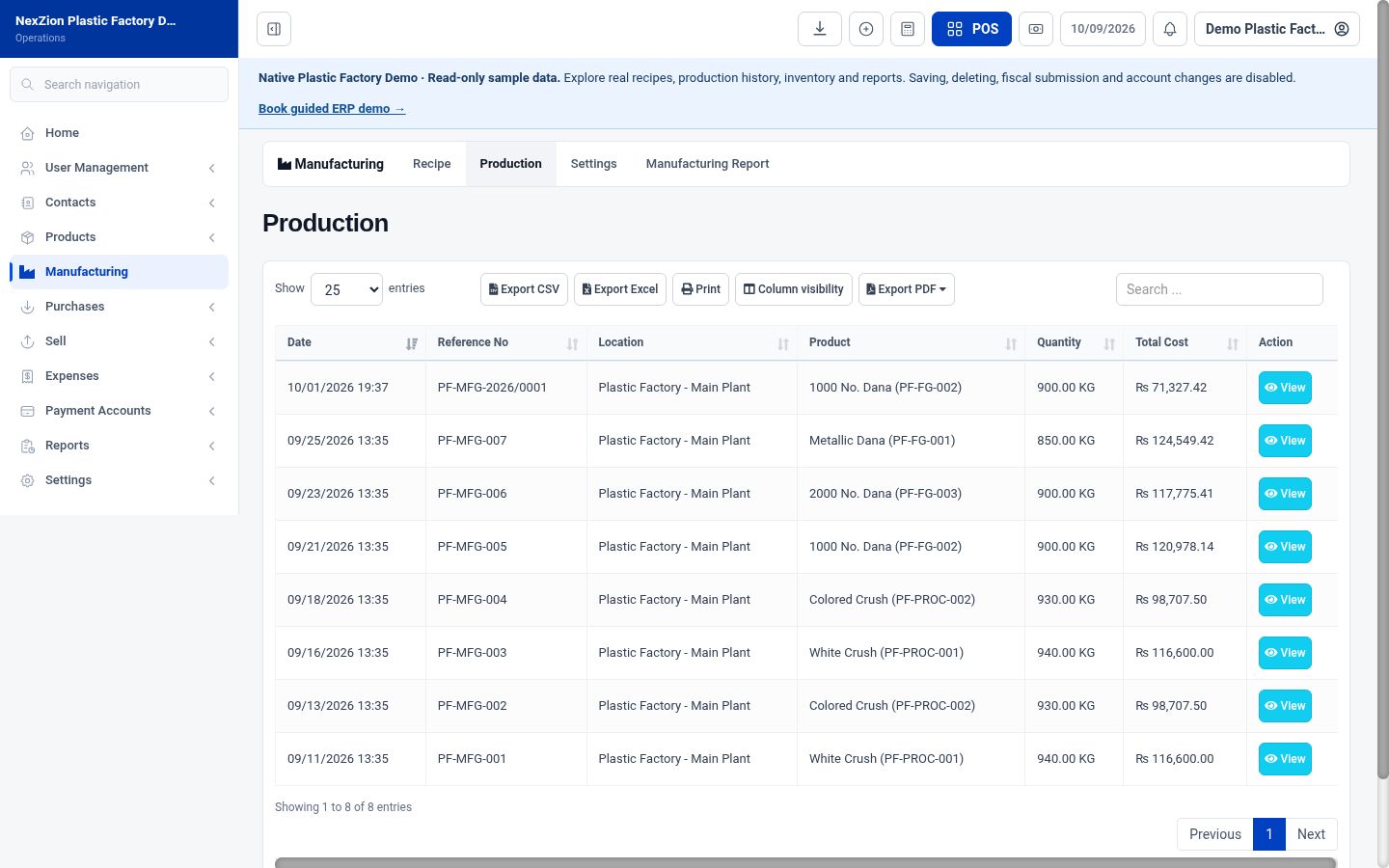
Explore manufacturing in NexZion POS.
Open the existing NexZion POS Plastic Factory sample business. Browse native manufacturing recipes, work-order history and reporting with completely fictional products and transactions.
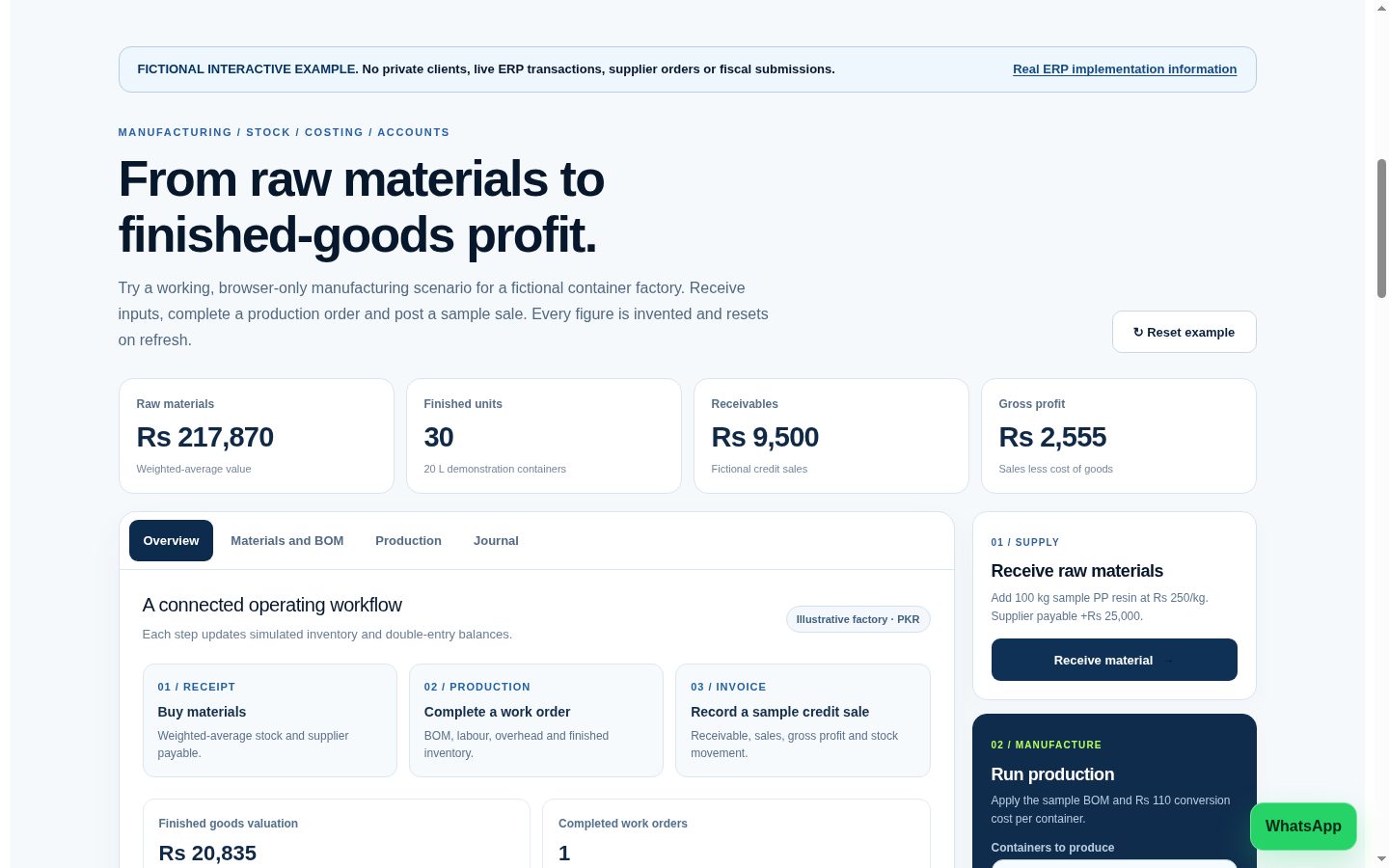
Explore an educational manufacturing simulation.
Follow a browser-only scenario from purchasing PP resin, through a 20 L container bill of materials, to finished stock, invoicing and balanced example journal entries.
Documented ERP development from NexZion Solutions
The Cold Storage & Ice Factory ERP case study documents NexZion's industry-focused product development, including accounting, stock, production, branches, HR, procurement and operational controls. Review the development scope when planning similar requirements.

Cold Storage & Ice Factory ERP
Review NexZion's documented ERP development work covering stock, procurement, accounting, production, branches, HR and operational controls.
Explore the case study →Other tax-connected and stock-heavy implementations support NexZion's industry experience; they are not represented as full ERP deployments. Review verified work or company details.
A practical ERP implementation process
A reliable implementation is usually phased. Software configuration should follow the agreed workflow, roles, data and reporting requirements rather than forcing every department into a generic setup.
1. Discovery & scope
Document departments, transactions, approval points, reports, branches, integrations and the problems the ERP must solve.
2. Data & configuration
Prepare products, customers, suppliers, opening balances, users and permissions, then configure the approved workflows.
3. Testing & training
Test real purchase, sale, stock, return, approval and reporting scenarios before users move to production.
4. Go-live & support
Start with controlled opening data, monitor reconciliation and user issues, and improve the system after core workflows stabilize.
ERP to FBR Digital Invoicing: setup and validation process
When an ERP issues invoices in Pakistan, first verify the current FBR requirement applying to the business. A useful ERP integration must prepare accurate invoice data, validate it, submit through the supported route and keep a traceable response history.
1. Confirm scope
Review seller registration, the applicable requirements, branches and authorised integration arrangements before selecting the production workflow.
2. Map invoice fields
Align seller and buyer details, registration type, products or services, HS codes, units of measure, tax treatment and scenario fields where required.
3. Validate calculations
Reconcile inclusive or exclusive prices, discounts, quantities and line-level taxes with invoice totals. Test representative cases and error responses first.
4. Record the response
Store invoice references, accepted or rejected status, returned fiscal details, corrections and controlled retries so records remain auditable.
DI and FBR POS are not interchangeable. Check the rules applying to your business, compare FBR Digital Invoicing versus FBR POS integration and review NexZion Digital Invoicing software. For the latest requirements consult official FBR technical documentation.
How to choose the best ERP software provider in Pakistan
Compare vendors on scope, implementation responsibility and long-term ownership—not only the licence price. Ask what is included in migration, training, support, backups, integrations, customization and future upgrades.
Regulatory integration: If applicable to your business, include scenario mapping, invoice validation, submission status, corrections and reconciliation in the ERP requirements. Explore FBR Digital Invoicing and FBR/PRA integration workflows before finalizing the scope.
Before choosing: confirm required modules, users and branches; request a workflow-based demo; review data migration responsibility; verify role and audit controls; ask how reports are calculated; document support and renewal terms; and compare total implementation cost. For budgeting, use the ERP software price guide. If you are deciding between systems, see POS vs ERP and ERP vs Accounting Software.
What should an ERP demonstration prove?
Ask to see a sample purchase, stock receipt, sale, return, management report and finance reconciliation using a realistic business workflow.
Controlled access
Check user roles, branch separation, approval limits, audit history and who can change opening balances.
Reliable reporting
Confirm stock, purchasing, receivables and accounts reconcile with actual transactions rather than disconnected spreadsheets.
Supported integrations
Confirm applicable tax or API connections with real validation examples before enabling production submission.
ERP planning for different business locations
ERP requirements depend more on your workflow than your city. These guides explain questions to ask when planning stock, branches, reporting and implementation for different Pakistani business markets.
ERP software planning for Lahore
Review branch reporting, user permissions and controlled stock movement for retail and service teams.
ERP software planning for Karachi
Consider trading, purchasing, inventory reconciliation and approval workflows across departments.
ERP software planning for Faisalabad
Explore production, materials, warehouse records and reporting needs for textile, manufacturing and distribution operations.
We discuss delivery scope and support arrangements before implementation; these pages do not imply a physical office in each city. For a practical rollout process, see the ERP implementation checklist.
Plan ERP software around your business
Share your departments, users, branches and reporting needs to discuss a practical implementation sequence.
Explore live ERP demosDiscuss ERP implementation