
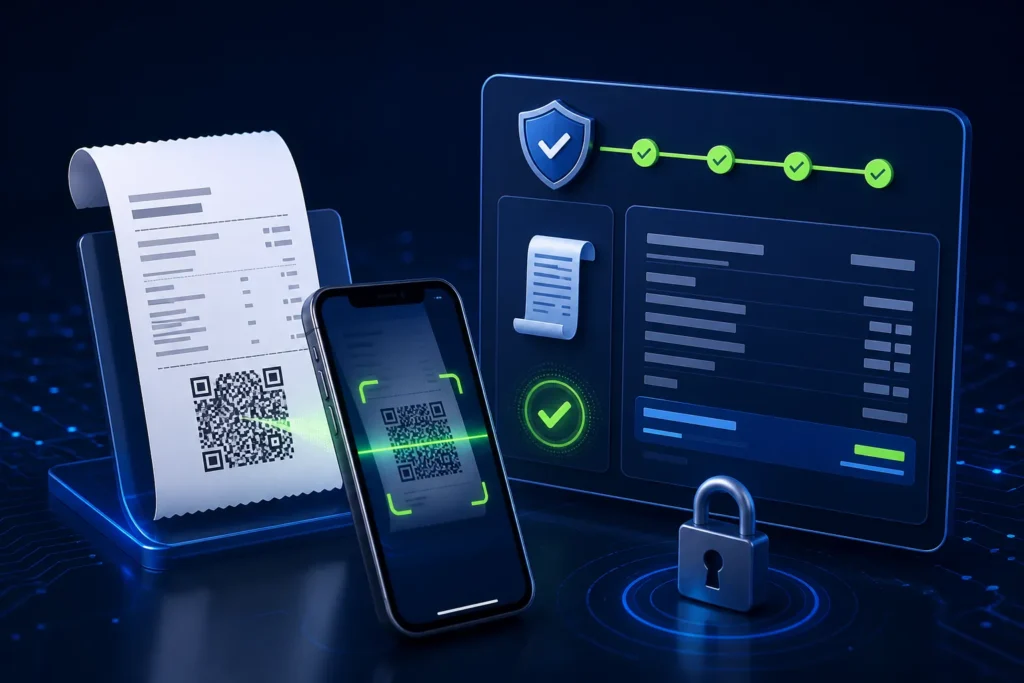
To verify a PRA POS invoice, use the fiscal invoice number printed on the receipt or scan its QR code. PRA’s published specification directs customers to the official invoice-search facility and describes a QR URL containing the PRA invoice number. Compare the displayed invoice date, seller, line items and totals with the receipt. A missing result can be caused by a mistyped number, wrong environment, delayed synchronization or an actual submission problem; it does not automatically prove that the cashier should issue a second invoice.
Reviewed 28 August 2026. This article covers software and operational workflow, not legal or tax advice. Confirm current PRA applicability, service classification, rates, notices and invoice treatment for the specific business.
Three numbers that should not be confused
| Reference | Who creates it | Use |
|---|---|---|
| Order/KOT number | Restaurant or service software | Operational preparation and tracking |
| USIN/business invoice number | The taxpayer’s POS | Unique internal invoice identity and cross-reference |
| PRA fiscal invoice number | Returned by the fiscalisation process | Fiscal receipt reference and verification |
The USIN should remain stable across submission attempts. The fiscal number is stored against it after success.
How to verify a PRA invoice
- Find the fiscal invoice number on the printed or digital receipt.
- Open the official invoice-search route directly or scan the QR with a trusted camera/reader.
- Check the destination domain before entering information.
- Enter the number exactly if searching manually.
- Compare the displayed date, invoice ID, item descriptions, quantity, sale value, tax and totals with the customer receipt.
- If the result does not match, keep the receipt and contact the business or official support rather than altering the QR link.
What the QR code contains
The version 1.2 FAQ says QR functionality is at the vendor’s end and gives the invoice-search URL with a PRAInvNo query parameter. In plain language, the POS generates a QR that opens the official search facility for the returned fiscal invoice number. The QR is not a decorative logo and should not encode a password, POS access code or production token.
Receipt fields to check
The SFD invoice model includes POS ID, USIN, date/time, buyer information where applicable, sale value, tax, discount, further tax, bill amount, payment mode, invoice type and item details. The customer receipt should present the applicable customer-facing information clearly and include the fiscal reference and QR.
The Act’s invoice provisions also list core tax-invoice particulars such as provider and recipient details where applicable, service description, value, tax and value including tax. The business’s actual receipt must follow current requirements for its circumstances.
Verification checklist
| Check | Expected | Problem indicator |
|---|---|---|
| Domain | Official PRA portal/search route | Look-alike or unrelated site |
| Fiscal number | Matches receipt exactly | Missing digits or different reference |
| Date/time | Matches transaction | Different day or unexplained shift |
| Seller/branch | Correct business location | Another branch or entity |
| Items/totals | Match receipt | Missing item, altered quantity or different total |
| Tax | Matches configured/approved invoice | Difference between receipt and official record |
Legacy portal and PRA IRIS reporting
Version 1.2 says invoice data can be checked through the IMS Fiscal Report. It directs users to the legacy PRA portal for invoices prior to August 2024 and PRA IRIS for invoices from September 2024 onward. Because portal navigation can change, use the current official login and report menus rather than saved third-party links.
Why an invoice may not appear
| Symptom | Safe check | Action |
|---|---|---|
| No result | Re-enter exact fiscal number; confirm date/environment | Check local status and IMS report before retry |
| QR will not scan | Inspect print density, size, quiet zone and damage | Reprint same accepted invoice; do not resubmit |
| QR opens wrong URL | Compare template with official format | Correct receipt software and reprint safely |
| Totals differ | Compare POS lines, payload and response record | Freeze and escalate; do not edit accepted invoice |
| Receipt lacks fiscal number | Check whether response was stored before printing | Determine acceptance, then reprint or resolve failure |
| Old invoice missing in current report | Check the period and correct legacy/IRIS route | Use current official support guidance |
QR readability checklist
- Use a tested QR library and exact official URL format
- Maintain sufficient size and clear white margin
- Use dark print on clean light paper
- Avoid placing logos over the code
- Test the actual 58mm or 80mm printer
- Replace weak thermal heads and faded rolls
- Scan from several common phones
- Confirm reprint uses the same fiscal reference
For business owners: daily receipt QA
- Select sample invoices from each branch and counter.
- Compare POS, receipt, official record and payment.
- Scan QR codes from each printer.
- Review invoices without fiscal numbers or with failed status.
- Investigate duplicate USIN/fiscal-number relationships.
- Sign off the exception report before shift closure.
Customer and privacy safety
Do not post full receipts containing phone numbers or identity details publicly. When requesting support, redact personal information and never include portal passwords, access codes or production tokens. Share the minimum invoice reference and evidence through authorized channels.
Frequently asked questions
What is a PRA fiscal invoice number?
It is the fiscal reference returned by the documented fiscalisation process and printed on the receipt.
Can I verify with the business’s own invoice number?
The public search is described around the PRA invoice number. The business USIN remains important for support and reconciliation.
Who creates the QR code?
The vendor/POS software creates it using the returned PRA invoice number and official search URL format documented by PRA.
Does a failed QR scan mean the invoice is invalid?
Not necessarily. The print may be damaged or poorly sized. Enter the fiscal number manually and compare the official record.
Should the cashier submit again if search is empty?
No. First determine whether the original request was accepted and whether synchronization/reporting is delayed.
Need receipt and QR testing?
NexZion Solutions can review the invoice model, store fiscal references correctly, test QR receipt output, separate reprint from resubmit and build verification into daily reconciliation.
Request PRA Receipt Assessment PRA eIMS/POS integration service
Official sources reviewed
- PRA Software Fiscal Device Technical Specification, version 1.2
- PRA POS invoice-search facility
- PRA IRIS
- Punjab Sales Tax on Services Act 2012, Chapter V
Reviewed 28 August 2026. The technical specification and public portals can change; verify production behavior and current legal requirements before relying on them.
Related: PRA POS troubleshooting, SFD architecture, returns and corrections, and NexZion POS.
NexZion Solutions publishes practical guides based on business-software, compliance-workflow, website and automation implementation experience in Pakistan.

