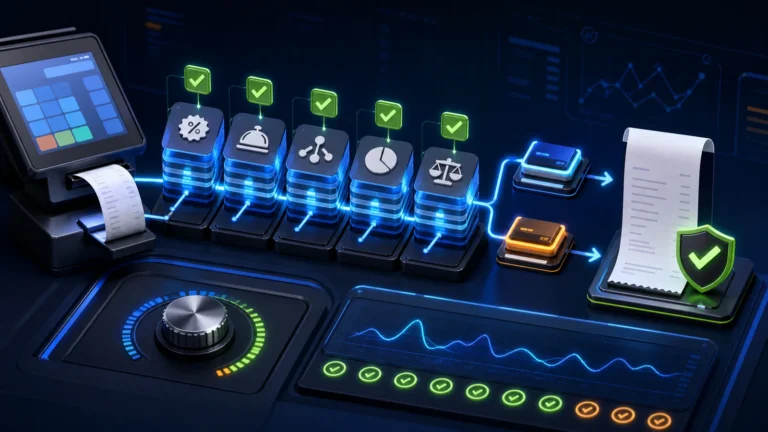
A PRA-integrated branch lifecycle needs two coordinated tracks: the business must confirm and update applicable registration particulars through PRA, while the POS team configures the correct branch, counters, users, devices, POS IDs, receipts, reporting and reconciliation. A branch should not begin production fiscalisation until its identity and tests are approved, and it should not be deleted at closure while invoices, returns or records remain unresolved.
Reviewed 28 August 2026. The exact PRA process depends on the taxpayer, registration particulars, service classification and current portal procedure. Confirm legal and registration actions with PRA or a qualified adviser; this article focuses on implementation control.
Opening a branch: four workstreams
| Workstream | Owner | Output |
|---|---|---|
| Registration and legal particulars | Authorized taxpayer/adviser | Confirmed branch details and applicable approvals |
| POS configuration | Implementation team | Branch, counters, POSID mapping and services |
| Operations | Branch management | Users, shifts, payments, printers and training |
| Finance and control | Finance | Opening balances, settlement mapping and reconciliation |
PRA-hosted registration rules address changes in registration particulars. Do not treat a POS database entry as a substitute for updating details that the taxpayer is required to maintain.
Branch master data
- legal taxpayer and PNTN;
- registered business/branch name;
- physical address and contact details;
- service categories and authorized configuration;
- branch code used in ERP/POS;
- counter names and device assets;
- POSID assigned to each supported configuration;
- payment methods and settlement accounts;
- local management and escalation contacts;
- opening date and production approval.
Counter naming and POS identity
Use durable counter names such as BranchCode-Counter01 rather than “New PC” or an employee name. Maintain a register connecting branch, counter, device, POSID, software version and activation status. The name should stay understandable after staff and hardware change.
For the registration workflow, see how to register a POS with PRA eIMS. For an estate-wide model, use the multi-branch PRA POS architecture guide.
New-branch sandbox test pack
- Correct branch and POSID in the payload.
- Normal sale for each major service category.
- Receipt fiscal number, QR and branch identity.
- Cash, card and approved payment mapping.
- Discount and service-charge arithmetic.
- Return/credit workflow and original reference.
- Internet or service interruption.
- User-role and manager-approval controls.
- Shift closing and daily reconciliation.
- Central reporting without mixing another branch’s identity.
Production opening gate
Particulars confirmed → POS configured → sandbox passed → staff trained → production approved → first-day monitoring
| Gate | Pass evidence |
|---|---|
| Identity | Taxpayer, branch, counter and POSID register |
| Technical | Supported SFD/API health and security checks |
| Business | Menu/service master, prices and authorized tax setup |
| People | Named users, roles and training scenarios |
| Finance | Payment mapping, opening controls and reconciliation report |
| Recovery | Offline, retry, backup and escalation runbook |
Use the 25-test PRA eIMS go-live checklist before production.
First seven days of monitoring
- accepted, rejected, uncertain and queued invoice counts;
- oldest pending age;
- discount, refund and void exceptions;
- receipt and QR complaints;
- payment-versus-fiscal total differences;
- user access and manager override activity;
- branch-specific network and device incidents.
Moving a branch
A location move can change registration particulars, address, network, public IP, devices and counter layout. Treat it as a controlled branch change, not merely a router move. Confirm the taxpayer’s PRA update process, preserve the old location’s closing evidence, test new infrastructure and establish a clear cutover timestamp.
Closing a branch: do not delete it
Disable future operational use only after the closure process. Preserve the branch master and historical invoices so reports remain traceable. “Inactive” is generally safer for application history than deleting the branch row.
- Confirm the authorized closure date and PRA/legal actions.
- Stop new bookings or orders beyond the cut-off.
- Complete final sales, returns and unsettled customer balances.
- Resolve queued and uncertain fiscal invoices.
- Perform final cashier, payment, fiscal and accounting reconciliation.
- Export and protect required records.
- Disable users, devices, credentials and network access.
- Securely transfer or dispose of hardware.
- Mark the branch inactive while preserving history.
- Assign an owner for later audit or customer queries.
Final closure evidence pack
| Evidence | Purpose |
|---|---|
| Last USIN and fiscal number | Defines the final transaction boundary |
| Status summary | Shows no unresolved queue or uncertainty |
| Closing report | Reconciles sales, returns and payments |
| Asset and credential disposition | Prevents unauthorized later use |
| Record-retention register | Preserves access to required history |
| Registration correspondence | Supports the taxpayer’s legal change process |
See the PRA POS record-retention checklist.
Official references
- PRA registration and de-registration rules
- PRA taxpayer verification and change guidance
- PRA SFD Technical Specification version 1.2
Frequently asked questions
Can we copy another branch’s POSID?
No. Maintain the correct taxpayer, branch and counter mapping and use the identity issued or supported for that configuration.
Should a closed branch be removed from historical reports?
No. Mark it inactive for future operations while preserving invoices, users, assets and reconciliation history.
Does moving the branch require PRA action?
A change in registered particulars may require action. Confirm the current process with PRA or an authorized adviser before the move.
Can the new branch go live after one test sale?
One sale does not cover returns, discounts, outages, roles, receipts or closing. Use a representative sandbox and go-live test pack.
Opening, moving or closing a PRA POS branch?
NexZion Solutions can coordinate branch identity, counters, devices, tests, user roles, monitoring and reconciliation around the approved business process.
Continue: Explore the PRA POS Integration Software resource center for registration, SFD, testing, troubleshooting and industry workflows.
NexZion Solutions publishes practical guides based on business-software, compliance-workflow, website and automation implementation experience in Pakistan.