
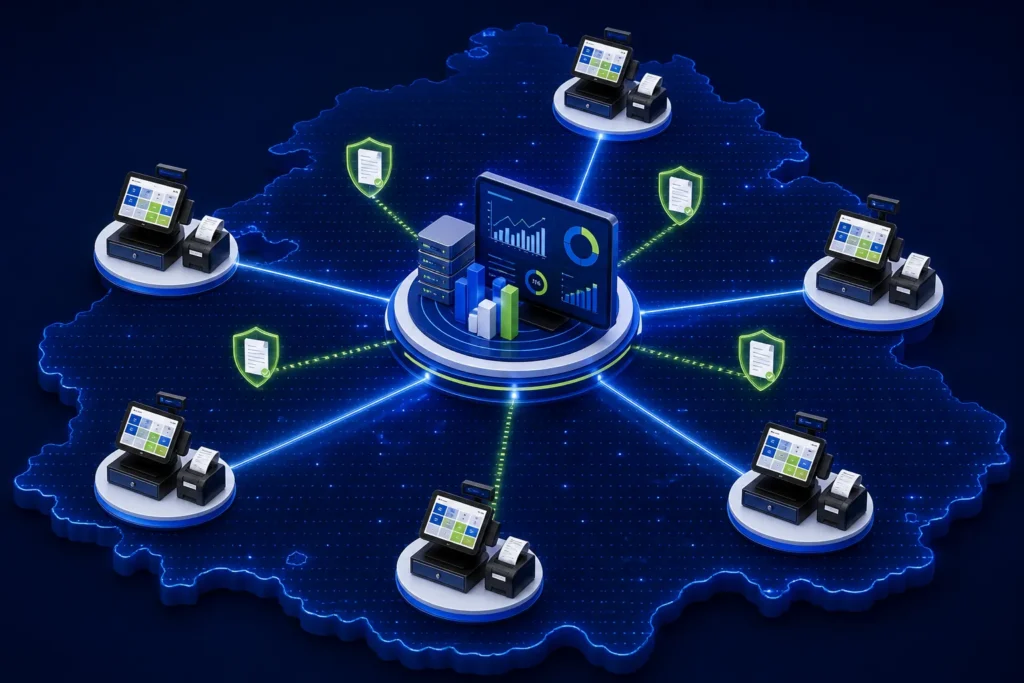
A multi-branch PRA POS implementation should give every approved branch and billing counter a stable identity while centralizing only what is safe to centralize: menu/service masters, roles, software releases, monitoring and management reports. PRA’s SFD specification describes POS registration by branch and records a unique counter number/name plus device/network details. Do not share one POS identity across unrelated counters merely to simplify setup.
Reviewed 28 August 2026. This is operational software guidance, not tax or legal advice. Confirm current PRA applicability, rates, service classifications, notices and correction requirements for the business’s individual circumstances.
Separate fiscal identity from management reporting
Owners want one dashboard, but central reporting does not mean every outlet should use the same branch or counter identity. Keep the fiscalisation configuration local to the correct billing point, then consolidate normalized sales, payment, stock and exception data in the management layer.
Practical configuration matrix
| Layer | Central control | Branch-specific control |
|---|---|---|
| Business master | Legal entity and approved service catalogue | Registered outlet details where applicable |
| Menu/services | Standard item codes, names and change approvals | Availability and approved local price variations |
| POS registration | Inventory of all POS IDs | Branch, counter, device and environment mapping |
| Users | Role templates and access policy | Named staff and shift assignments |
| Fiscalisation | Supported architecture and software version | Credentials, service health and local queue |
| Reporting | Consolidated dashboards | Daily branch/counter reconciliation |
| Support | Incident process and release management | Local contact, connectivity and hardware evidence |
Branch and counter inventory
Create one controlled register with these fields:
- Internal branch code and approved branch name
- Address, city and responsible manager
- Counter number/name and operational purpose
- POS ID and environment
- Device name, operating system and software version
- Local SFD version or cloud connector version
- Printer model and receipt width
- Network/ISP and backup connection
- Last successful test and reconciliation date
- Support owner and credential custodian
Example branch/counter design
| Branch | Counter | Use | Local controls |
|---|---|---|---|
| LHR-GULBERG | C01 | Dine-in cashier | KOT linkage, cash shift, fiscal status |
| LHR-GULBERG | C02 | Takeaway | Fast menu, pickup order, separate drawer |
| FSD-DGROUND | C01 | Front counter | Own POS ID/configuration and closing |
| MUL-CANTT | C01 | Reception | Service invoice and payment reconciliation |
These codes are internal examples, not official PRA formats.
Central menu and service control
Central teams can approve item codes, descriptions, classifications, tax settings and effective dates. Branches should not create uncontrolled “miscellaneous” lines. If a branch needs a local item or price, use a request-and-approval workflow with an effective date and test evidence.
Users, roles and segregation of duties
- Cashier: create and settle ordinary transactions
- Supervisor: approve discounts, cancellations and controlled reprints
- Branch manager: close shift and review exceptions
- Accounts: reconcile POS, payment and official invoice records
- IT/support: maintain integration without changing commercial transactions
- Administrator: manage configuration through logged approval
No central administrator should use a shared password across every outlet. Use named accounts and auditable changes.
Device and configuration deployment
Create a standard build, but inject branch/counter-specific configuration through a controlled process. A device replacement checklist should verify POS ID, environment, printer, time, network, receipt template and local file backup. Remove credentials from the retired device.
Central reporting model
The central dashboard should display gross and net sales, tax, discounts, returns, payment modes, accepted/failed/pending invoices, last synchronization, drawer differences and branch closure status. It should allow drill-down to USIN and fiscal number without exposing credentials.
Use the FBR and PRA invoice reconciliation checklist as a baseline for daily and month-end controls.
Branch-opening sequence
- Confirm registration and branch particulars.
- Create the branch/counter matrix.
- Prepare menu/service and tax configuration.
- Register/configure the POS identity.
- Install the supported fiscalisation path.
- Run sandbox tests for that branch.
- Test receipt and QR on its actual printer.
- Train local roles.
- Go live with monitored first invoices.
- Reconcile before copying the rollout to the next branch.
Connectivity and resilience by branch
Do not design around head-office internet only. Each outlet needs its own connectivity assessment, power/UPS plan, local service monitoring, backup and incident contact. Document how the selected SFD/cloud architecture behaves during an outage and how queued invoices are reconciled.
Common multi-branch mistakes
- One POS ID copied to multiple outlets
- Branch selectable by cashier on every invoice
- Central menu changes pushed without testing
- Different rounding or discount logic by outlet
- Accepted and pending statuses hidden in a single “posted” flag
- No per-counter cash reconciliation
- Replacing devices without retiring old credentials
- Launching all branches before one pilot is stable
Frequently asked questions
Can one POS system manage several PRA branches?
Yes, a suitable system can centralize operations while preserving the correct branch and counter identity for each transaction.
Should every counter have a unique name?
Yes. The specification describes a unique POS counter number/name. Use stable names that support registration, support and reconciliation.
Can head office issue invoices for a branch?
Only through an approved workflow that assigns the correct business, branch, counter and transaction context. Confirm legal and technical requirements first.
What should management monitor daily?
Sales, payments, returns, fiscal status exceptions, synchronization health and closure/reconciliation by branch and counter.
Planning a multi-branch rollout?
NexZion Solutions can map branches and counters, standardize POS configuration, pilot one outlet, train local teams and build central exception and reconciliation reporting.
Request Multi-Branch Assessment PRA eIMS integration service
Official sources reviewed
- PRA Software Fiscal Device Technical Specification, version 1.2
- official PRA portal
- official PRA POS invoice-search facility
Reviewed 28 August 2026. The technical specification explains an implementation model but is not a complete statement of every current legal requirement. Reconfirm production details before relying on them.
Related: PRA POS registration, offline continuity, restaurant branch workflow, and NexZion POS.
Advanced branch operations
NexZion Solutions publishes practical guides based on business-software, compliance-workflow, website and automation implementation experience in Pakistan.


