
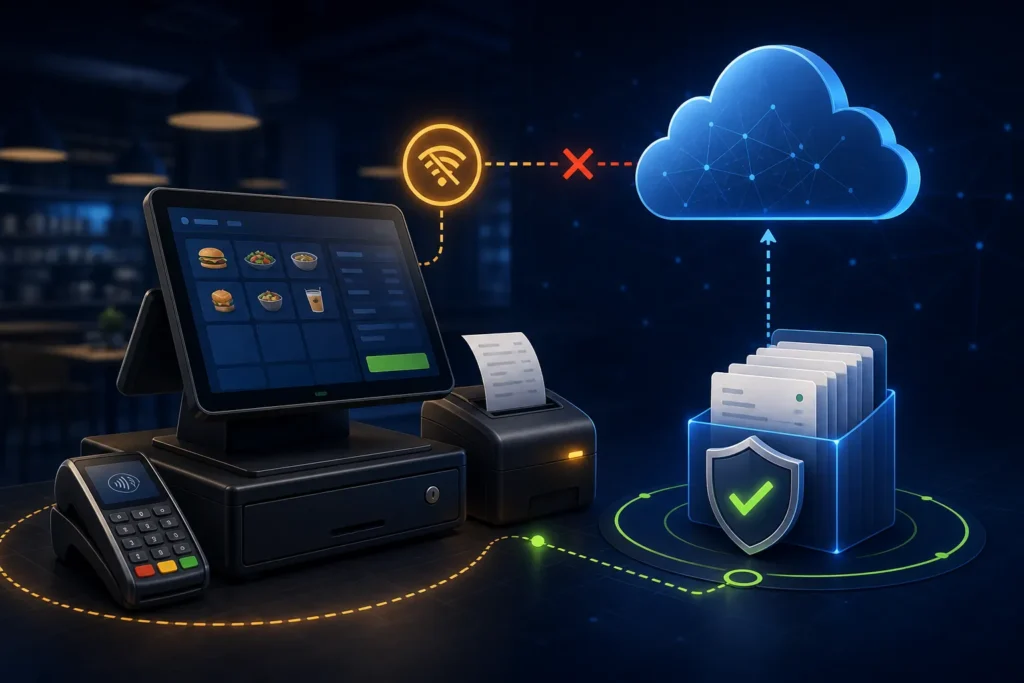
If PRA eIMS or the internet is unavailable, the POS must preserve each completed business invoice, its unique USIN, payment, timestamp and current fiscal status. Continue billing only through the deployment’s tested and approved continuity design. PRA’s published local SFD architecture describes local fiscalisation and periodic onward upload, but that does not justify assuming that every vendor, cloud connector or installation behaves identically. Test outage behavior before go-live and reconcile every queued or uncertain invoice after recovery.
Reviewed 28 August 2026. This is operational software guidance, not tax or legal advice. Confirm current PRA applicability, rates, service classifications, notices and correction requirements for the business’s individual circumstances.
First identify what is actually offline
| Layer | Example symptom | Immediate check |
|---|---|---|
| Internet | Other online services fail | Router, ISP, DNS and alternate approved connection |
| Authority endpoint | All local systems work but submissions fail | Independent endpoint reachability and official support route |
| Local SFD service | Localhost health check fails | Windows service, installation and recent changes |
| POS application | Only one terminal cannot invoice | Application logs, configuration and branch/counter mapping |
| Printer | Fiscal response stored but no receipt | Spooler, paper and template |
| Synchronization | Local fiscal number exists but official report is incomplete | Queue/files, service state and IMS report |
What the published local architecture documents
The SFD specification describes a software component on the same computer as the POS. The POS sends invoice data to a local HTTP service, receives a fiscal invoice number and prints it with a QR code. The document says the component periodically moves recorded invoices to PRA’s online system and instructs taxpayers to keep the component-generated local file safe.
That architecture suggests separation between local fiscalisation and later upload. However, it is not a blanket warranty that any installation can run indefinitely without connectivity. Component versions, credentials, local storage, time synchronization, service state and current PRA controls may affect behavior. Validate the exact deployment in a controlled test.
Cloud connectors need a different continuity plan
A direct cloud-posting design normally depends on the POS server reaching the configured endpoint. A vendor may add a queue, but queue semantics are product-specific. Ask:
- Does the POS create a local invoice before submission?
- Is USIN generated once and retained across attempts?
- Can the cashier see queued, submitted, accepted and failed states separately?
- What prevents a reprint from resubmitting?
- How does the system handle a timeout after the request left the server?
- Who can approve a retry?
- How are queues backed up and reconciled?
Continuity decision tree
- Was the order finalized and payment taken? If not, keep it as an open order; do not create a fiscal incident unnecessarily.
- Did the POS generate a USIN? Preserve it. This is the stable business reference.
- Was a fiscal number returned? If yes, store it and reprint the same record if only printing failed.
- Did the request leave the system? If uncertain, treat the outcome as potentially accepted.
- Does the tested continuity mode allow local operation? Follow the approved procedure and display the status clearly.
- After recovery, can every record be reconciled? Match POS, queue/component, official report, payment and receipt.
Recommended invoice status model
| Status | Meaning | Cashier action |
|---|---|---|
| Open order | Not yet a finalized invoice | Continue normal order workflow |
| Ready | Validated and awaiting fiscalisation | Submit once |
| Submitting | Request in progress | Wait; do not press repeatedly |
| Accepted | Fiscal reference stored | Print/reprint same record |
| Queued locally | Approved continuity path holds the invoice | Inform supervisor; do not create replacement |
| Failed | Known rejection or technical failure | Preserve and escalate |
| Uncertain | Request may have been processed but response is missing | Check logs/report before retry |
| Reconciled | POS and official records matched | Close incident evidence |
Duplicate-prevention controls
- Generate USIN once, before the first attempt.
- Use an immutable submission-attempt log.
- Store the returned fiscal number on the same invoice record.
- Make “reprint” and “resubmit” separate permissions and actions.
- Lock accepted invoices from ordinary editing.
- Search local and official records before a retry.
- Use a controlled queue that survives application restart.
- Alert on more than one fiscal reference for the same USIN.
Power failure and device failure
Internet is only one risk. Use a UPS for the POS, network and printer where appropriate. Back up the POS database and approved component files. Keep spare printer consumables. Document how a replacement device receives the correct branch/counter configuration—never clone credentials casually.
Recovery checklist
- Record incident start/end time and affected counters.
- Restore the approved service or connection.
- Do not clear queues or logs.
- List every invoice created during the incident.
- Match each USIN to fiscal status and number.
- Check the relevant IMS report/search route.
- Resolve failed or uncertain records through controlled review.
- Compare payment settlements and cash totals.
- Obtain supervisor/accounts sign-off.
- Document root cause and preventive action.
Staff script during an outage
Cashiers need a short instruction: do not invent a new invoice, do not press retry repeatedly, do not promise that a transaction is synchronized unless the status proves it, and contact the named supervisor. Supervisors should know the approved continuity mode and maintain an incident list. Technical staff should preserve evidence and avoid destructive cleanup.
Frequently asked questions
Can PRA POS work without internet?
The published local SFD design uses a local fiscal service and periodic upload, but actual continuity depends on the approved deployment and current behavior. Test and document it; do not rely on a vendor slogan.
Should we print a receipt if the status is uncertain?
Follow the approved business procedure. The receipt must not falsely display an unconfirmed fiscal reference. Preserve the transaction and escalate.
Can queued invoices be sent automatically later?
Some implementations may do so, but the queue, identity and retry behavior must be validated to prevent duplicates.
What if the receipt printed but the invoice is not online?
Check the exact fiscal number, environment, local component/queue and relevant official report. Do not resubmit until acceptance is determined.
Build a safer PRA continuity workflow
NexZion Solutions can test your actual outage behavior, design visible invoice states, protect USIN identity, configure monitored queues and create a branch-level recovery checklist.
Official sources reviewed
- PRA Software Fiscal Device Technical Specification, version 1.2
- official PRA portal
- official PRA POS invoice-search facility
Reviewed 28 August 2026. The technical specification explains an implementation model but is not a complete statement of every current legal requirement. Reconfirm production details before relying on them.
Related: PRA POS troubleshooting, SFD architecture, invoice reconciliation, and editorial standards.
NexZion Solutions publishes practical guides based on business-software, compliance-workflow, website and automation implementation experience in Pakistan.


