
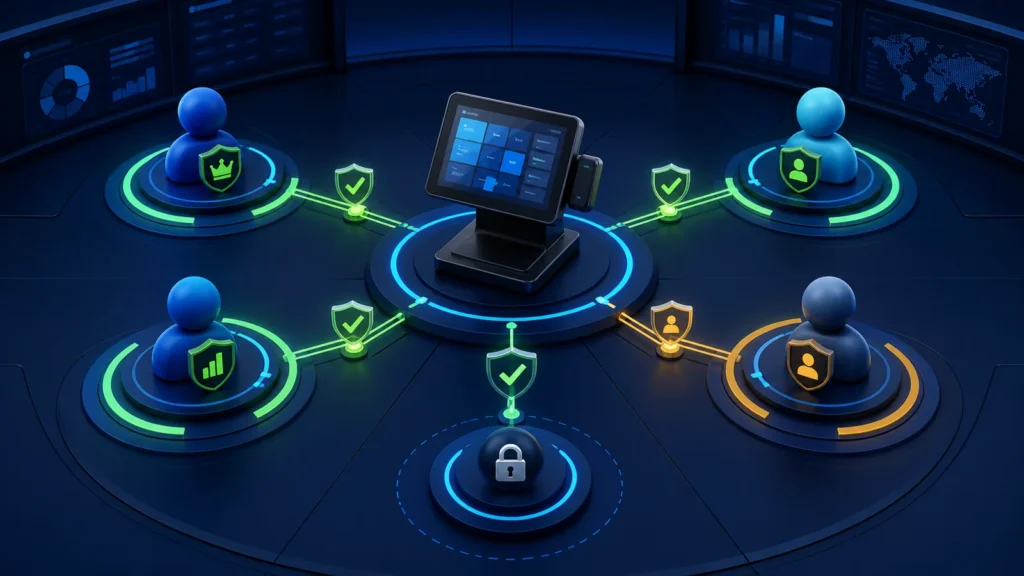
A PRA-integrated POS should give each user only the permissions needed for their job. Cashiers can create and settle ordinary sales; supervisors approve exceptions; finance reviews refunds and reconciliation; system administrators manage users and technical configuration. High-risk actions—discounts, voids, refunds, manual retries, POSID changes and production credentials—should require named access, a reason and an audit record.
Reviewed 28 August 2026. PRA’s public technical material describes fiscal fields and integration, not your company’s internal job titles. The matrix below is a practical control model that must be adapted to the business, current PRA requirements and management policy.
Why shared administrator accounts fail
If every cashier uses one account, the system cannot prove who changed a bill, approved a discount or retried an uncertain invoice. Shared credentials also make offboarding difficult. Give each person a named login, assign permissions through roles, and use a separate manager approval rather than asking staff to share a PIN.
Recommended role matrix
| Capability | Cashier | Supervisor | Finance | System admin |
|---|---|---|---|---|
| Create normal sale | Yes | Yes | View | Test only |
| Apply standard discount | Within approved limit | Approve exceptions | Review | No business approval |
| Void before settlement | Limited with reason | Approve | Review | No business approval |
| Refund/credit workflow | Initiate request | Approve policy-compliant case | Verify payment and reconciliation | Support technical execution only |
| Manual fiscal retry | No | Request/escalate | Confirm business status | Execute after evidence approval |
| Reprint receipt | Limited, logged | Approve repeated reprints | View | Support only |
| Edit tax/POS mapping | No | No | Authorize business value | Implement controlled change |
| View credentials | No | No | No | Restricted secret-management access |
| Export all invoices | No | Branch scope if approved | Yes, controlled | Technical export with authorization |
| Create users/roles | No | No | Review | Yes, logged |
Separate business approval from technical access
A system administrator may be able to change configuration, but that does not make the administrator the business approver for a refund or tax setting. Finance or management authorizes the business decision; IT implements the approved change and records the result. This separation is especially important for POSID mapping, production endpoints and credentials.
Discount controls
- Define percentage or value thresholds by role.
- Require a reason from an approved list plus optional note.
- Capture the original and discounted amounts.
- Prevent discount changes after fiscal acceptance without a supported correction workflow.
- Report discount rate and value by user, branch and period.
The PRA invoice QA guide covers how discounts affect line and header validation.
Void and cancellation controls
Distinguish an abandoned order before fiscal submission from a completed invoice that needs a return or adjustment. Do not let a “Delete” button erase fiscal history. Record who requested the action, who approved it, when it occurred and which original transaction it affects.
Refund and credit controls
Original invoice found → items and reason selected → manager approval → supported credit workflow → payment refund → reconciliation
The fiscal correction and the customer’s payment refund are related but distinct. A manager may approve the service return, finance confirms settlement, and the POS preserves RefUSIN or other documented references. See the PRA returns and refunds workflow.
Manual retry permission
Manual retry should not be a cashier feature. When a status is uncertain, require an evidence review using USIN, timestamps, local SFD state and fiscal-search or reconciliation records. The person who approves the retry should be different from the process that originally failed where practical.
Use the safe PRA invoice retry guide.
Administrative configuration changes
| Setting | Required approval | Post-change test |
|---|---|---|
| POSID/branch/counter mapping | Business owner plus implementation owner | Sandbox identity and receipt test |
| Tax or service mapping | Authorized finance/tax owner | Representative invoice arithmetic |
| Production endpoint or credential | System owner | TLS, authentication and health check |
| Invoice numbering logic | Finance and technical owner | Uniqueness, restart and concurrency tests |
| Refund permission | Management | Role and audit-event test |
Joiner, mover and leaver process
- Create access only after written role approval.
- Use the person’s own account; never clone credentials.
- Test the role with a safe scenario before the first shift.
- Review access when a person changes branch or responsibility.
- Disable access promptly at departure.
- Retain the historical user identifier in audit records.
- Review dormant and privileged accounts monthly.
Manager override without password sharing
The POS can request the manager’s own login, secure PIN prompt or approved device confirmation for one action. Store the approving manager’s identity and reason, not the manager’s password. The cashier session should not inherit broad manager rights after the approval.
Access review checklist
- Every active account belongs to a current person or controlled service.
- No cashier can edit production credentials or fiscal identity.
- Refund and manual-retry permissions match written policy.
- High discounts and repeated reprints are reviewed.
- Administrator actions appear in a protected audit trail.
- Branch managers cannot access unrelated branches without need.
- Exports are restricted, logged and protected.
See the PRA POS audit-log checklist and NexZion’s broader POS software security guide.
Official references
- PRA security tips
- PRA Software Fiscal Device Technical Specification version 1.2
- PRA portal terms and confidentiality guidance
Frequently asked questions
Does PRA prescribe cashier and manager role names?
The public technical specification does not define your internal job structure. Build roles around least privilege, business ownership and traceable approvals.
Can a cashier reprint an accepted invoice?
A limited, logged reprint may be appropriate, but it must reuse the stored fiscal reference and should not resubmit the sale.
Should an IT administrator approve refunds?
Technical access is not business authority. Management and finance should approve the business action; IT supports the controlled system process.
How often should roles be reviewed?
Review privileged and dormant accounts regularly and perform a complete review after staff, branch, ownership or system changes.
Need a controlled POS permission model?
NexZion Solutions can configure user roles, manager approvals, refund controls, audit events and branch-level access for your PRA-integrated POS.
Continue: Explore the PRA POS Integration Software resource center for registration, SFD, testing, troubleshooting and industry workflows.
NexZion Solutions publishes practical guides based on business-software, compliance-workflow, website and automation implementation experience in Pakistan.


