
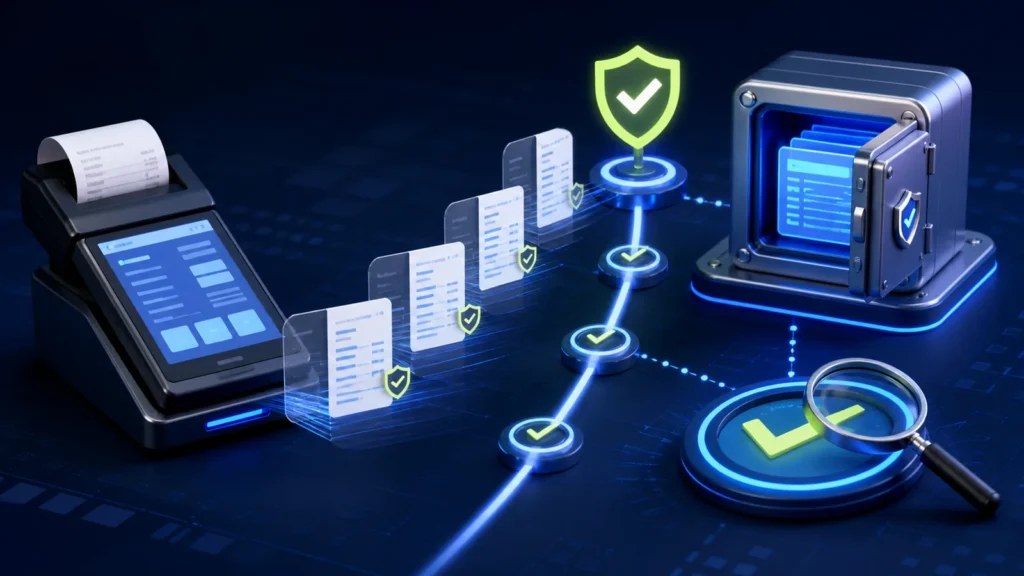
A useful PRA POS audit trail should let an authorized reviewer reconstruct who created or changed a transaction, which taxpayer/branch/counter/POSID was used, what payload identity was submitted, what response returned, what receipt was produced and how the invoice reconciled. Punjab’s published Sales Tax on Services Act material includes record-retention and production obligations; operational logs should support those records without exposing credentials or unnecessary personal data.
Reviewed 28 August 2026. Record-retention obligations can depend on current law, tax period, proceedings and taxpayer circumstances. The controls below are implementation guidance, not legal advice. Confirm the governing requirement with PRA and a qualified adviser before setting a destruction schedule.
PRA POS audit trail versus debug log
| Record | Purpose | Typical audience |
|---|---|---|
| Transaction audit trail | Who did what and why | Management, finance, auditors |
| Fiscal submission log | Payload identity, attempt and response status | Support and integration team |
| Application debug log | Technical diagnostics and errors | Developers and administrators |
| Security log | Login, permission and configuration events | Security and system owner |
| Reconciliation record | Agreement between POS, fiscal status, payments and accounts | Finance and branch management |
Do not force every purpose into one enormous text file. Use linked records with stable identifiers, clear retention and restricted access.
Minimum invoice evidence
- internal transaction ID and stable USIN;
- returned fiscal invoice number where accepted;
- taxpayer, branch, counter and POSID mapping;
- invoice type and RefUSIN for supported adjustments;
- date/time and environment;
- header totals and a protected payload snapshot, version or checksum;
- attempt timestamps, status categories and redacted responses;
- receipt print and reprint history;
- payment settlement and closing reference;
- final reconciliation status.
The PRA eIMS invoice payload field guide explains the business meaning of POSID, USIN, RefUSIN and InvoiceType.
User actions that deserve an audit event
| Action | Capture | Control |
|---|---|---|
| Discount | Before/after value, reason, user and approver | Threshold-based permission |
| Void or cancellation | Original transaction, reason and timing | Prevent deletion of history |
| Return or refund | Original reference, items, payment and approval | Link to supported credit workflow |
| Reprint | Invoice reference, copy number, user and reason | Reuse the accepted fiscal number |
| Tax/configuration edit | Old value, new value, actor and effective time | Administrator-only change |
| Manual retry | USIN, previous status, evidence and approver | One controlled attempt path |
| Data export | Who exported, scope, format and destination category | Restricted and reviewable |
What the published law says about retention
The PRA-hosted Chapter V material states that required records and documents are retained for five years after the end of the relevant tax period, or until the final decision in specified proceedings, whichever is later. It also addresses producing records and access to electronic data when lawfully required. Do not convert that summary into an automatic deletion job without legal review: another law, active proceeding, contract, backup or investigation may require a longer hold.
Classify record → assign lawful retention → protect and verify → place legal hold if needed → review before disposal
Design a retention register
| Record class | Owner | Retention basis | Storage | Disposal approval |
|---|---|---|---|---|
| Fiscal invoices and responses | Finance/tax | Current legal requirement | Protected primary database and backup | Finance plus authorized adviser |
| POS transaction audit | Operations | Invoice evidence and internal control | Append-only audit store | Operations and finance |
| Security and access logs | System owner | Incident and access review | Restricted logging platform | Security owner |
| Temporary debug logs | IT | Support need and data minimization | Short-lived protected storage | IT owner |
| Support evidence | Case owner | Incident closure and legal hold | Ticketing system | Case owner |
Immutability and correction
An audit trail should not be editable by the same user whose actions it records. When a mistake is corrected, append a new event that references the earlier state. Preserve both the business correction and the reason. Database administrators need controlled emergency access, and their changes should appear in an independent log.
Protect secrets and personal data
Do not store passwords, PIN codes, authorization headers or full tokens. Minimize buyer identifiers and card information. Redact support exports. Encrypt backups, limit access by role, and log who searched or exported large datasets.
Daily and monthly evidence checks
- Review accepted, rejected, uncertain and queued invoice counts.
- Investigate duplicate USIN or fiscal-reference anomalies.
- Reconcile returns, discounts, voids and payment differences.
- Confirm logs are arriving from every active branch and counter.
- Test that a sample invoice can be reconstructed end to end.
- Verify backup completion and perform scheduled restoration tests.
- Review access changes and high-risk exports.
Use the existing FBR and PRA invoice reconciliation checklist for finance controls and the PRA monitoring runbook for operational alerts.
Evidence pack for escalation
- redacted taxpayer, branch, counter and POSID;
- USIN and fiscal number if known;
- timestamp with timezone;
- software/SFD version and environment;
- status timeline and error category;
- payload checksum or redacted fields;
- reproduction steps and business impact;
- actions already attempted.
Never include live credentials in an evidence pack.
Official references
- Punjab Sales Tax on Services Act: bookkeeping and audit proceedings
- Punjab Sales Tax on Services Audit Rules
- PRA security tips
Frequently asked questions
Are POS debug logs the same as legal records?
No. Debug logs may support an investigation, but the required business, invoice and accounting records must be identified and retained deliberately.
Can logs be deleted after five years automatically?
Do not automate disposal solely from a summary. Confirm the tax period, active proceedings, legal holds and other applicable requirements first.
Should cashiers be able to edit audit records?
No. Users may add a reason or correction through a controlled workflow, but the original event history should remain protected.
Can full tokens be saved for troubleshooting?
No. Redact credentials. Record a safe credential identifier or rotation version instead of the secret value.
Need an audit-ready PRA POS trail?
NexZion Solutions can map transaction events, fiscal evidence, approvals, reconciliation and secure retention into your POS implementation.
NexZion Solutions publishes practical guides based on business-software, compliance-workflow, website and automation implementation experience in Pakistan.


