
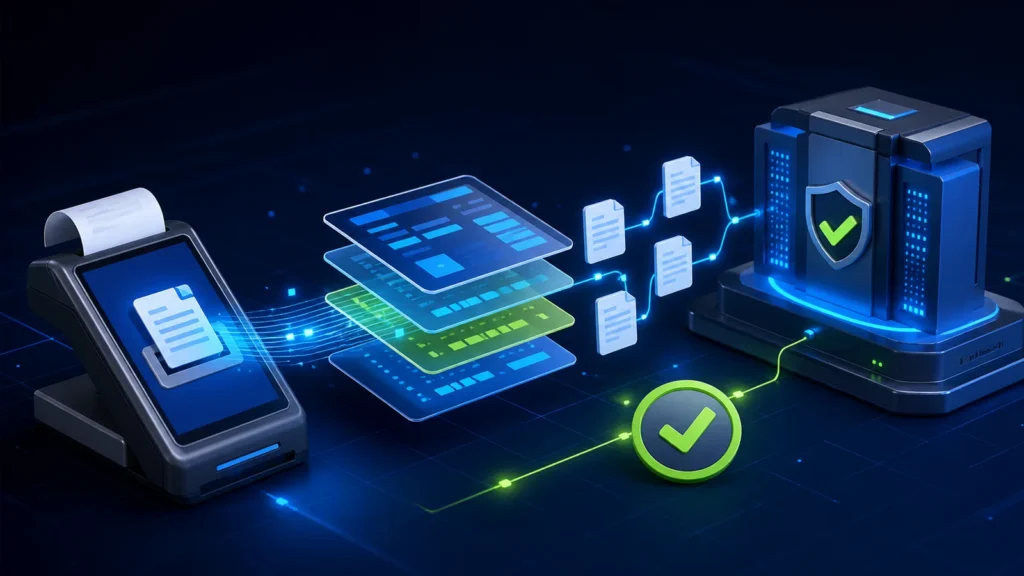
A PRA eIMS invoice payload should be built from a controlled business transaction, not assembled as an afterthought at the printer. The public PRA Software Fiscal Device specification describes header fields such as POSID, USIN, DateTime, buyer details, totals, Discount, FurtherTax, PaymentMode, RefUSIN and InvoiceType, plus an Items array. The safest implementation validates identity, arithmetic, references and status before sending anything to the fiscal service.
Reviewed 28 August 2026. This is a software implementation guide, not tax or legal advice. Confirm current PRA applicability, classification, rates, invoice treatment and production requirements for your taxpayer profile through PRA or a qualified adviser.
Start with the business event
The payload represents a sale, debit adjustment or credit adjustment that the POS has already authorized. In a restaurant, an open table or KOT is still operational data. In a hotel, a reservation or unsettled folio may not yet be the final invoice. Define exactly which workflow state creates the fiscal request, then prevent later edits that would make the POS record disagree with the fiscal record.
Authorized transaction → stable USIN → validated header and lines → PRA submission → store response → print and reconcile
Core header fields in plain language
| Field | Purpose | Implementation control |
|---|---|---|
| InvoiceNumber | The fiscal number returned or represented in the documented model | Do not invent an authority-issued result before success |
| POSID | Registered POS identity | Map it to the correct taxpayer, branch and counter configuration |
| USIN | Your software’s unique invoice reference | Create once, store before transmission and never recycle |
| DateTime | Business invoice timestamp | Keep the POS clock and timezone controlled |
| BuyerPNTN, BuyerCNIC and buyer details | Buyer identification where relevant | Collect only when required and protect personal data |
| TotalBillAmount | Final bill total | Recalculate from controlled components; do not trust screen text |
| TotalQuantity | Aggregate quantity | Agree with the item lines and documented unit logic |
| TotalSaleValue | Sale value represented by the invoice | Reconcile line and header values |
| TotalTaxCharged | Aggregate tax in the payload | Use authorized configuration and test rounding |
| Discount | Invoice-level discount value | Trace it to approved discount logic |
| FurtherTax | Additional value where applicable | Do not populate universally; confirm treatment |
| PaymentMode | Documented payment category | Map POS tenders consistently and reconcile settlements |
| InvoiceType | New, debit or credit in the published model | Restrict adjustments to authorized workflows |
| RefUSIN | Reference to the original business invoice for an adjustment | Require a valid original record where the workflow needs it |
USIN is your anchor before the PRA response
The USIN should exist before the first submission attempt. Store it with the transaction, payload version, timestamp and status. If a timeout occurs after the request leaves the POS, the system can investigate one stable business reference instead of creating a second invoice identity. The returned fiscal number and the USIN solve different problems; retain both.
For a deeper recovery design, use the safe PRA invoice retry guide and the existing PRA POS troubleshooting workflow.
InvoiceType and RefUSIN must agree
The published specification documents invoice-type values for new, debit and credit transactions, and identifies RefUSIN as the business reference for an adjustment. Your application should reject contradictory combinations. A normal new sale should not silently carry a reference to an unrelated invoice, while a return workflow should not lose the original reference that finance needs for traceability.
| Scenario | Expected control | Do not do |
|---|---|---|
| New sale | Create a new USIN and send the authorized sale model | Reuse an earlier USIN |
| Credit or return | Follow the supported credit workflow and preserve the original reference | Delete the original sale or issue an unlinked negative sale |
| Debit adjustment | Use the documented type and authorized business reason | Edit a completed record without history |
| Timeout | Keep the same transaction identity while status is investigated | Generate a new sale because the screen shows “no response” |
Items are not merely receipt lines
Each item should have a stable code or service mapping, a human-readable name, quantity, classification where required, value, total amount, tax, discount and the supported invoice-reference fields. Keep the item master controlled. Free-text names and improvised tax settings make repeatable testing and reconciliation difficult.
- Reject zero or negative quantities unless a specifically supported workflow permits them.
- Validate decimal scale and rounding before summing header totals.
- Separate complimentary, discounted, refunded and voided states in the audit history.
- Preserve the payload sent and the response received without exposing tokens.
- Do not let the receipt renderer recalculate financial values independently.
Five arithmetic checks before submission
- Sum item quantities and compare with TotalQuantity.
- Sum line sale values and compare with TotalSaleValue.
- Recalculate line tax using the configured treatment and compare with TotalTaxCharged.
- Apply discounts and other authorized components once, not at both line and header level accidentally.
- Confirm the final TotalBillAmount agrees with the POS ledger and customer receipt.
The PRA invoice QA test guide provides edge cases for discounts, service charges, split payments and rounding.
Validation should produce actionable errors
“Invalid invoice” is not useful to a cashier or developer. Return a field name, expected rule, actual value, transaction reference and safe next action. Separate configuration errors, business-rule errors, transport failures and authority responses. This lets operations correct a product mapping without treating it like an internet outage.
Minimum evidence to retain
- transaction ID and USIN;
- taxpayer, branch, counter and POSID mapping;
- payload version or checksum;
- submission timestamp and environment;
- response code, message and fiscal number where returned;
- user and approval history for discounts, voids and adjustments;
- receipt and reconciliation status.
See the PRA POS audit-log and retention checklist for operational evidence design. Legal retention requirements should be confirmed against the current Punjab Sales Tax on Services law and taxpayer circumstances.
Official references
- PRA Software Fiscal Device Technical Specification version 1.2
- Official PRA POS invoice search
- PRA e-services portal
Frequently asked questions
Is POSID the same as USIN?
No. POSID identifies the registered POS configuration, while USIN is the business software’s unique reference for an invoice.
Should a failed submission receive a new USIN?
Not automatically. First determine whether the request was rejected before processing, processed without the response reaching the POS, or never transmitted. Preserve one identity while the result is uncertain.
Can developers copy a sample token from a public document?
No. Treat any displayed sample as documentation only. Use credentials issued for the taxpayer and environment, store them securely and never publish them in code, logs or support screenshots.
Does the field guide determine the correct tax rate?
No. Rate and legal treatment depend on current law, notifications, service classification and taxpayer facts. The software should use authorized configuration.
Need a controlled PRA invoice model?
NexZion Solutions can review your POS field mapping, validation, receipt and reconciliation workflow before production rollout.
Discuss your PRA integration Explore the PRA POS integration pillar
NexZion Solutions publishes practical guides based on business-software, compliance-workflow, website and automation implementation experience in Pakistan.


