
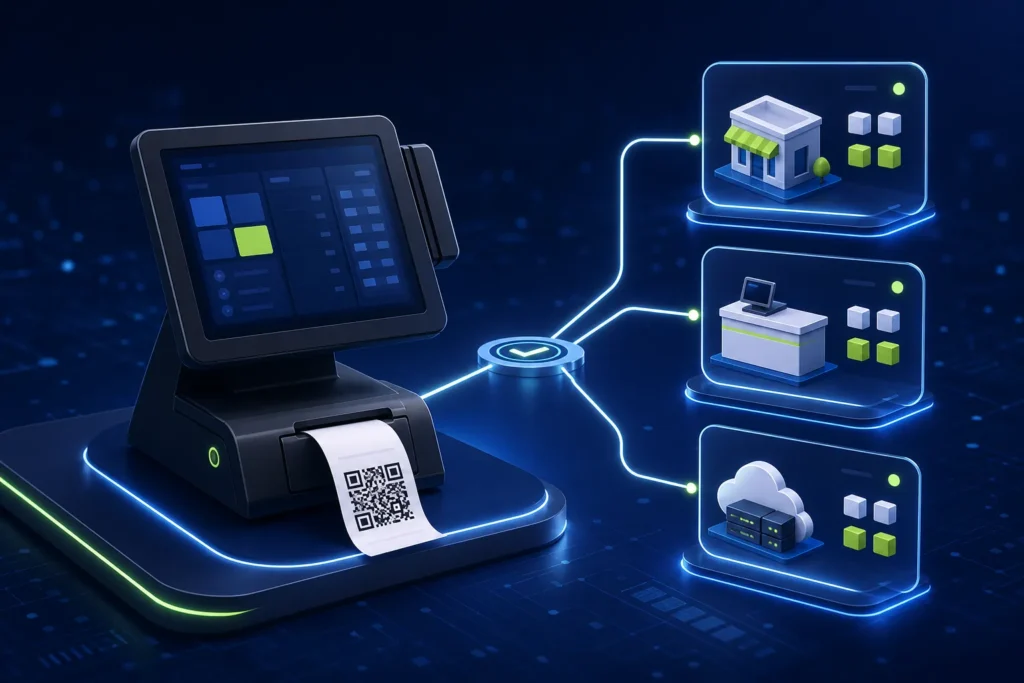
PRA POS registration is the technical step that identifies the business, branch and individual billing counter used in an applicable eIMS/POS workflow. PRA’s current published SFD specification describes logging into the portal, opening Registration → POS Client Registration, recording business, contact, branch and POS details, and generating a test POS ID for pre-production work. Do not use production credentials until representative invoices, receipt output, QR links, returns and reconciliation have passed controlled testing.
Reviewed 28 August 2026. This article explains software implementation, not legal or tax advice. Businesses should confirm current PRA applicability, registration, service classification, rates and notices for their own circumstances through PRA or a qualified adviser.
PRA taxpayer registration and POS Client Registration are different
A business can be registered or enrolled with PRA without every software implementation detail being ready. POS Client Registration is the configuration layer for the billing points that will participate in the fiscalisation workflow. If the business is still resolving its registration, activity, branch or tax treatment, finish that work with PRA or the business’s adviser before treating software setup as complete.
The separate official PRA taxpayer registration guide explains taxpayer and branch information. The SFD specification then describes POS Client Registration for technical integration.
Information to prepare before opening POS Client Registration
| Area | Prepare | Why it matters |
|---|---|---|
| Business | PNTN, legal name, brand, software name, POS type and implementation contact | Connects the deployment to the right taxpayer profile |
| Contact | Named general and technical contacts, mobile, email and address | Supports verification and issue escalation |
| Branch | Approved branch name, city, address, sector and operating information | Prevents invoices being attributed to an informal or incorrect outlet |
| Counter | Unique counter name/number, POS type, device and network information requested by the portal | Separates billing points within one branch |
| Testing | Test POS ID, sandbox plan, test data and responsible reviewer | Keeps pre-production activity away from live billing |
Step-by-step PRA POS registration workflow
- Confirm applicability and access. Confirm the business is using the correct PRA profile and that the responsible person has authorized portal access.
- Clean branch records. Compare every operational outlet with the business’s approved registration particulars. Do not invent a new branch name merely to fit a software screen.
- Open POS Client Registration. The SFD specification describes this path inside the PRA portal.
- Complete business information. Review system-generated fields and enter the requested software and operating details accurately.
- Add contacts. Use monitored email and phone details. The technical contact should understand the POS deployment.
- Add each applicable branch. Use a stable branch code in the POS so reporting and support teams refer to the same location.
- Add each counter or billing point. Counter names should be unique within the branch, such as LHR-GULBERG-C01, rather than “Counter.”
- Generate and record the test POS ID. Store it in a restricted configuration record—not a public spreadsheet or WhatsApp group.
- Prepare sandbox installation or cloud testing. Select the supported architecture based on the current specification and the business environment.
- Run representative tests. Use realistic items, discounts, payment modes, returns and receipt checks.
- Approve production only after evidence review. Keep screenshots or logs without exposing credentials, plus sample receipts and reconciliation results.
Branch, counter and device naming example
| Branch code | Counter | Operational use | Environment |
|---|---|---|---|
| LHR-GULBERG | C01 | Main cashier | Sandbox, then production |
| LHR-GULBERG | C02 | Takeaway counter | Sandbox, then production |
| FSD-DGROUND | C01 | Front desk | Separate configuration |
The naming convention is an operational recommendation, not an official PRA code format. The portal’s approved branch and POS details remain authoritative.
What is a test POS ID?
The published specification describes generating test PRA POS IDs for pre-production integration. A test ID allows the implementer to configure the sandbox mode and prove that the POS can prepare the invoice model, receive a response and produce the intended receipt. It should never be confused with the production POS ID used for live transactions.
Read the PRA eIMS sandbox versus production guide before switching environments.
Tests required before production
- Normal sale with more than one line item
- Cash, card and any approved mixed-payment workflow
- Discount authorization and matching totals
- Customer receipt containing the returned fiscal reference and QR code
- Invoice lookup through the relevant official facility
- Credit/return workflow linked to the original business invoice reference where applicable
- Restart of the POS and fiscal component
- Interrupted connectivity and controlled recovery
- Duplicate-prevention check using the business invoice number
- Daily invoice reconciliation by branch and counter
Credential and access controls
PRA portal passwords, access codes, production tokens and taxpayer credentials should remain restricted. Do not place them in article screenshots, support tickets visible to unrelated staff or source-code repositories. Use a password manager or approved secret store, record who changed production configuration and remove access when a vendor or employee leaves.
PRA’s security tips also emphasize confidential passwords and safe portal access.
Common registration mistakes
- Registering one generic counter for several physically separate billing points
- Using a branch name that does not match approved records
- Testing with the production POS ID
- Sharing production credentials with every cashier
- Skipping return, QR and reconciliation tests
- Assuming installation alone proves that invoices reached the official report
- Moving a configured device without reviewing its branch/counter mapping
Frequently asked questions
Does every Punjab business need PRA POS registration?
Do not assume so from a technical guide. Applicability depends on the business’s registration, service activity, current rules, notices and individual circumstances. Confirm with PRA or a qualified adviser.
Is a POS ID the same as a branch?
No. The published workflow records branch information and then POS details for the counter or billing point associated with that branch.
Can one branch have several counters?
Yes, operationally a branch may have several billing points. Register and configure them according to the current portal requirements rather than sharing an identity casually.
Should a vendor keep the production access code?
Only within an approved, controlled support arrangement. The taxpayer should retain ownership and be able to revoke vendor access.
Need help preparing branch and counter registration?
NexZion Solutions can assess your existing POS, prepare a branch/counter configuration sheet, configure the supported integration path, test representative invoices and assist with a controlled production handover.
Request PRA POS Assessment PRA eIMS installation & POS integration service PRA eIMS installer guide
Official sources and review note
The technical specification is an implementation document, not a complete statement of every current legal obligation. NexZion reviewed the official pages above on 28 August 2026 and recommends reconfirming production details before go-live.
Related: PRA Software Fiscal Device guide, PRA eIMS go-live checklist, NexZion POS software, and NexZion editorial standards.
NexZion Solutions publishes practical guides based on business-software, compliance-workflow, website and automation implementation experience in Pakistan.


