
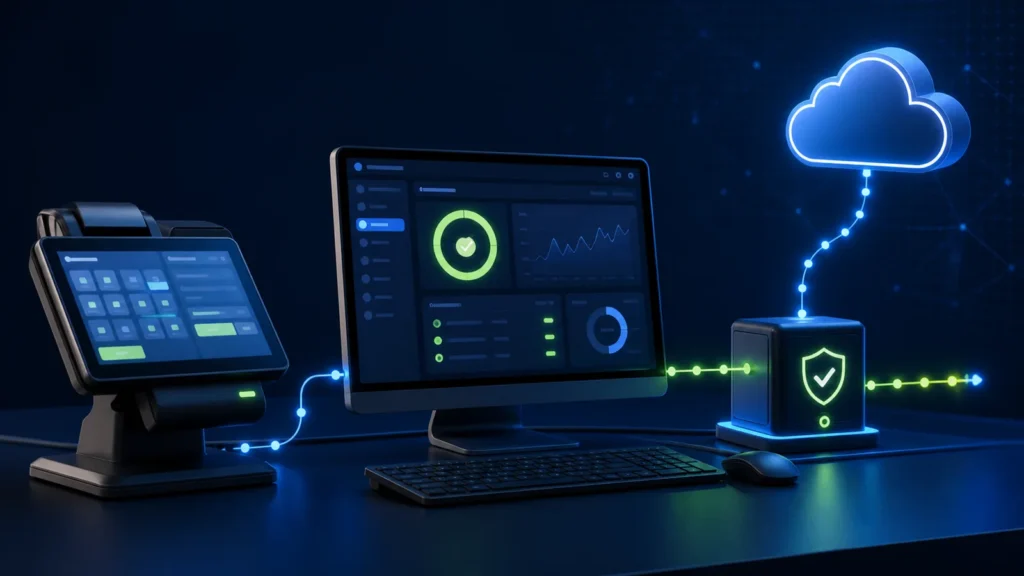
Where to download the official PRA eIMS installer
The official source is the Punjab Revenue Authority eIMS portal. The public page currently exposes both the existing and new installer/user-guide options.
NexZion Solutions does not redistribute PRA executables. For production work, download the current installer directly from PRA and keep the taxpayer’s credentials and registration details under the taxpayer’s control.
Before installing PRA eIMS
Do not start with the installer alone. First confirm that the business, branch and billing workflow are ready for integration.
- Confirm the registered business and service activity with PRA.
- Confirm the branch or outlet that will use the billing system.
- Identify the POS, ERP or billing software that will generate invoices.
- Document counters, users and cashier roles.
- Prepare the service/item master and applicable tax configuration.
- Confirm internet, printer, backup and workstation requirements.
- Keep PRA credentials and any integration secrets out of shared documents or source code.
If POS registration is still pending, use our PRA POS registration guide before the software installation stage.
PRA eIMS software installation workflow
1. Download the current official installer
Use the current installer published by PRA. If PRA provides both an existing and a new installer, follow the official guidance that applies to your current environment and implementation.
2. Prepare the computer or server that will run the integration
The machine should have stable access to the billing application, printer and required network resources. Avoid installing compliance components on an unmanaged workstation that staff frequently reset, replace or use without controlled access.
3. Install the PRA component according to the current guide
Follow the official PRA user guide supplied with the current installer. Installation steps can change between releases, so the current PRA guide should take priority over screenshots or instructions copied from older implementations.
4. Connect the business software
The POS or ERP must produce the invoice data required by the supported PRA workflow. This normally means mapping the business’s invoice fields, service lines, rates, customer information where applicable, totals and the identifiers required by the integration.
If the business already uses its own software, it may be possible to integrate instead of replacing it. See our existing POS to PRA eIMS integration guide.
5. Test representative invoices
Do not test only one normal sale. Use realistic scenarios from the business:
- normal service invoice;
- cash and other supported payment methods;
- discounts where applicable;
- refund or correction workflow;
- branch and counter identity;
- receipt reprint;
- failed submission and controlled retry;
- daily reconciliation between the business system and PRA-connected records.
Our PRA eIMS go-live checklist provides a more detailed production-readiness test list.
6. Verify the fiscal response and customer receipt
The business should confirm that the supported PRA fiscal information returned by the integration is stored against the original invoice and that the required receipt information is printed consistently. Keep invoice identity stable so retries do not create duplicate business transactions.
7. Train cashiers and managers
Staff need clear instructions for successful submissions, pending or failed invoices, reprints, refunds, daily closing and escalation. Ordinary users should not need access to technical credentials to operate the system.
8. Move to production with monitoring
After go-live, review the first production invoices, error logs and daily reconciliation. The objective is not only to send invoices successfully but to make sure the business records and PRA-connected records stay consistent.
Can NexZion install PRA eIMS with existing POS or ERP software?
Often, yes—but the answer depends on the software. NexZion can assess whether the current system can expose or generate the required invoice information and whether a safe integration path exists.
We typically review:
- software technology and hosting environment;
- database and API access;
- invoice numbering and transaction identity;
- service and tax fields;
- branch/counter architecture;
- receipt printing;
- error logging and retry behaviour;
- backup and data ownership.
If the existing software cannot be integrated reliably, the assessment should explain why before recommending replacement.
PRA eIMS installer vs software fiscal device: what is the difference?
Businesses often use these terms interchangeably. The practical point is that PRA provides the official eIMS resources and technical components, while the business’s POS or ERP must connect its own invoice workflow to the supported PRA process. For the technical architecture and local fiscal component, read our PRA Software Fiscal Device guide.
Common installation mistakes to avoid
- Downloading an installer from an unofficial file-sharing source.
- Starting installation before branch/POS registration is ready.
- Using production credentials during early development or uncontrolled testing.
- Hard-coding PRA credentials in public repositories or shared scripts.
- Ignoring duplicate prevention and retry logic.
- Testing only a simple invoice and skipping refund, discount or failure scenarios.
- Going live without staff training and reconciliation responsibility.
- Replacing existing software before checking whether integration is possible.
What NexZion’s PRA implementation service includes
The exact scope depends on the business and software, but a typical implementation can include:
- business and workflow assessment;
- PRA installation readiness review;
- existing POS/ERP integration assessment;
- invoice-field and tax mapping;
- official installer/setup assistance;
- test invoice execution;
- receipt and QR/fiscal output checks;
- cashier/manager training;
- error and reconciliation workflow;
- production handover and support.
Need PRA eIMS software installation or POS integration?
Use the main NexZion PRA service page to review the installation, integration and support workflow for your business.
PRA eIMS software installation & POS integration Discuss your setup on WhatsApp
Related PRA implementation guides
- PRA POS registration in Punjab
- PRA Software Fiscal Device explained
- Connect existing POS software to PRA eIMS
- PRA eIMS go-live checklist
- PRA POS troubleshooting
Official PRA resources
This article covers software installation and implementation workflow. PRA applicability, tax treatment, rates, registration and filing obligations should be confirmed through Punjab Revenue Authority and the business’s qualified tax adviser.
NexZion Solutions publishes practical guides based on business-software, compliance-workflow, website and automation implementation experience in Pakistan.

