
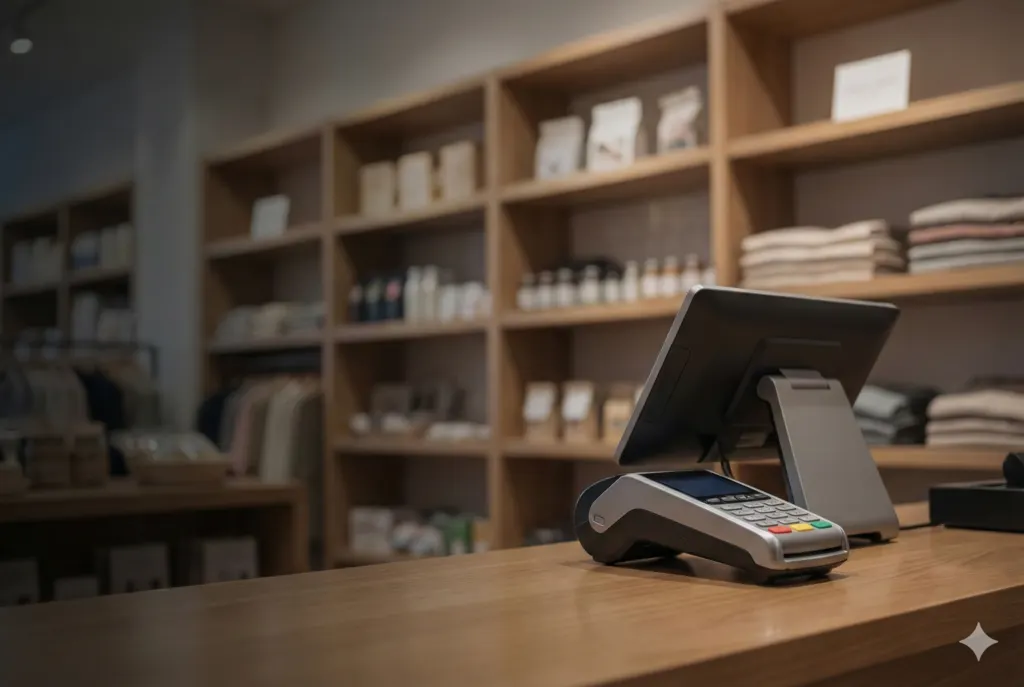
Superstore software in Pakistan should keep checkout fast while protecting stock, cash and profit. A practical system connects barcode billing, purchasing, inventory, batches, suppliers, customers, expenses, multiple counters, branches and management reports instead of treating the counter as an isolated cash register.
Reviewed: 8 October 2026. Explore NexZion POS software in Pakistan and request a demo that covers your real checkout, stock receiving and cashier closing workflow.
What superstore software in Pakistan should manage
A small shop may initially manage with a simple invoice screen. A superstore handles thousands of items, changing purchase costs, several suppliers, fast-moving stock, shrinkage, promotions, multiple counters and frequent returns. Weak controls create differences between physical stock, software stock, cash and reported profit.
- barcode scanning and quick product search;
- multiple checkout counters and cashier shifts;
- purchase orders, receiving and supplier returns;
- batch, expiry and damaged-stock records where applicable;
- selling-price and margin controls;
- promotions, discounts and customer loyalty;
- cash, card, bank and mixed payments;
- branch transfers and warehouse replenishment;
- expense and cash-movement controls;
- daily sales, stock, margin and exception reporting.
Recommended superstore checkout workflow
- Open the shift: assign the cashier, counter and opening cash.
- Scan products: use barcodes with quantity, unit and price validation.
- Handle exceptions: require permission for price override, discount or complimentary items.
- Take payment: record the actual cash, card, bank or mixed settlement.
- Print the receipt: show clear item, quantity, discount, tax and payment information.
- Process returns correctly: link the return to the original invoice and restore stock only when appropriate.
- Close the counter: compare expected cash, actual cash, payment totals, returns and adjustments.
Barcode and product-master controls
Barcode speed depends on a clean product master. Each sellable unit should have an approved code, description, category, unit, purchase cost, selling price and tax configuration. Duplicate products and shared barcodes make reports unreliable.
| Product control | Recommended setup |
|---|---|
| Barcode | Unique code for each sellable pack or unit |
| Units | Clear conversion for piece, pack, carton or weight |
| Pricing | Approved selling price with effective dates and role control |
| Cost | Updated through verified purchases and returns |
| Category | Consistent hierarchy for search and reporting |
| Status | Active, discontinued or blocked without deleting history |
Purchasing and supplier management
Purchasing should begin with a requirement or purchase order and end with verified receiving and supplier liability. The system should highlight ordered-versus-received differences, cost changes, free quantities, damaged items and purchase returns.
- supplier quotations or approved rates;
- purchase order and approval;
- goods receiving by branch or warehouse;
- invoice and payment reference;
- cost and retail-price review;
- supplier return and debit adjustment;
- supplier statement and ageing.
Inventory accuracy and shrinkage
Software stock is trustworthy only when every movement is recorded. Sales, purchases, transfers, returns, damage, expiry, internal use and stock counts need separate transaction types and permissions.
Use cycle counts for fast-moving or high-value categories instead of waiting for a single annual count. Review negative stock, unusual adjustments, repeated voids and margin exceptions every day.
Multi-counter and multi-branch requirements
Each counter should have its own cashier session and payment reconciliation. Each branch should maintain stock and operational reports separately while management can review consolidated sales, inventory and profitability. Transfers need dispatch, in-transit and receiving confirmation.
How to choose a superstore or supermarket POS provider in Pakistan
Compare providers on the complete operating workflow, not only the billing screen. A reliable provider should understand barcode setup, product imports, cashier roles, purchase receiving, stock adjustments, daily closing, backups, reporting and staff training. If FBR or another compliance workflow applies, confirm exactly what is included before rollout.
- ask for a demo using realistic product and counter volumes;
- confirm how opening stock and product data will be imported;
- test cashier permissions, returns, voids and discounts;
- review backup, restore and data-export responsibility;
- document training, support and renewal terms;
- confirm whether multi-branch, FBR or other integrations are standard or separately scoped.
Reports owners should review
- sales and margin by day, branch, counter and category;
- cashier shortage or excess;
- discount, void and return exceptions;
- fast-moving, slow-moving and dead stock;
- negative stock and unusual adjustments;
- stock valuation and gross margin;
- supplier purchases, returns and balances;
- branch transfer differences;
- low-stock and replenishment suggestions.
POS, inventory software or ERP?
A single-location superstore may start with POS and inventory. A growing chain may need purchasing approvals, warehouses, accounts, HR and consolidated controls associated with ERP. Read POS software vs ERP software in Pakistan before selecting the scope.
Questions to ask during a superstore POS demo
- How quickly can the cashier scan and correct a basket?
- Can units and pack conversions be controlled?
- Who can change prices and approve discounts?
- How are partial and full returns linked to original invoices?
- Can the system show stock movement behind every balance?
- How are counter cash and card totals reconciled?
- Can branches transfer stock with receiving confirmation?
- Can reports trace totals back to source documents?
How NexZion approaches supermarket and mart POS implementation
NexZion Solutions documents NexZion POS as a live SaaS product and uses a workflow-first approach for retail implementation. The rollout should cover products, barcodes, counters, purchasing, receiving, stock, returns, cashier roles, daily closing, branches, reporting, backups and staff training—not only the billing screen.
Review Verified NexZion Work for documented product and implementation evidence, and use the Retail POS Implementation Framework to see the planning controls behind a retail rollout.
Frequently asked questions
What is the best superstore software in Pakistan?
The best fit is the system that proves your real products, counters, purchasing, inventory, returns, payments, branches and reporting during a demonstration. Avoid choosing only from a long feature list.
Can NexZion POS support barcode scanners and receipt printers?
Yes. Hardware compatibility is confirmed during implementation using the actual counter devices and receipt layout.
Can it manage several stores?
Yes. Branch stock, users, counters, transfers and reports can be separated while authorised management receives consolidated visibility.
Can we import our existing products?
Yes, after cleaning duplicate codes, names, units, costs, prices and opening quantities.
Book a superstore POS workflow demo
Send your branches, counters, approximate products, daily invoices, current hardware and main stock problems. NexZion Solutions will prepare a practical demonstration.
Discuss Superstore POS on WhatsApp | Request a POS demo | Explore NexZion POS
Reviewed: October 2026. Features and implementation scope depend on business requirements.
NexZion Solutions publishes practical guides based on business-software, compliance-workflow, website and automation implementation experience in Pakistan.


