
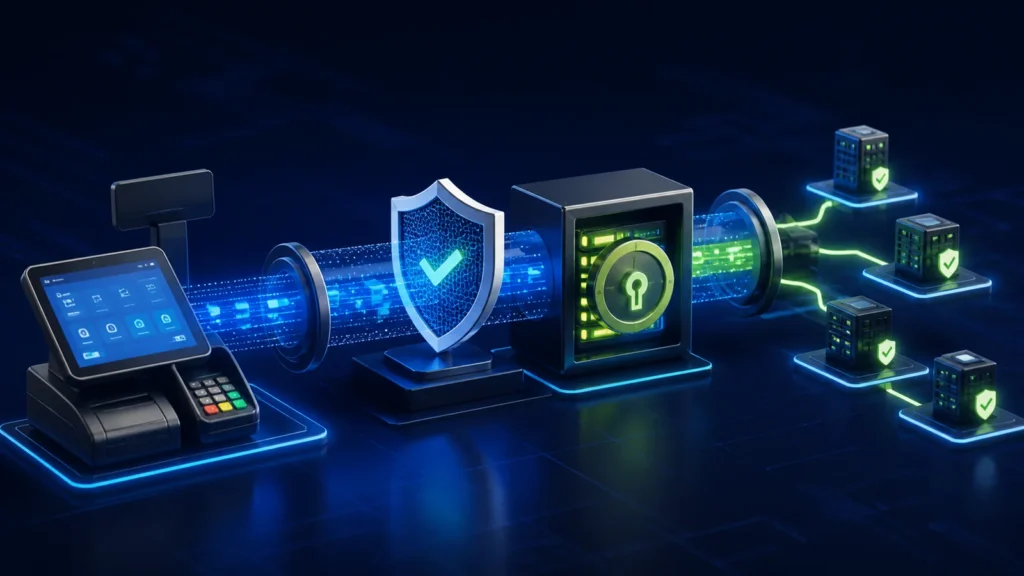
Secure PRA eIMS integration begins with verified endpoints, TLS certificate validation, protected credentials, controlled source IPs and separate sandbox and production configuration. The public PRA technical specification discusses secure production communication and IP whitelisting, while PRA’s portal security guidance tells taxpayers to use official HTTPS addresses and keep passwords confidential. A POS vendor should treat tokens and taxpayer access as secrets, not configuration text to paste into chats, source code or screenshots.
Reviewed 28 August 2026. This article provides software-security guidance, not a representation of PRA approval or a substitute for the current PRA onboarding instructions. Confirm supported endpoints, credentials and whitelisting with PRA for the actual taxpayer.
Security boundary for a fiscal integration
Named user → controlled POS → validated payload → secured SFD/API channel → PRA response → protected evidence
Security must cover every step. Strong HTTPS does not help if all cashiers share an administrator password, and a hidden token does not help if the POS accepts altered invoice totals without approval.
Use only verified endpoints
- Start from the official PRA portal or current onboarding material.
- Confirm the hostname, environment and path before entering credentials.
- Keep sandbox and production URLs in separate protected configuration.
- Do not follow endpoint changes received through an unverified message.
- Maintain an approved list of domains and source documentation.
PRA’s public security tips advise users to access the e-portal through the official HTTPS address and to check the secure connection. Apply the same caution to integration endpoints and administrative portals.
TLS verification is mandatory security hygiene
The client should verify the server certificate chain and hostname. Do not ship production code that accepts every certificate or disables validation to “make the API work.” That shortcut allows interception and makes it harder to distinguish a genuine PRA endpoint from a proxy or malicious service.
| Control | Expected practice | Warning sign |
|---|---|---|
| Certificate validation | Use operating-system or approved trust stores | Callbacks that accept every certificate |
| Hostname verification | Endpoint name must match the certificate | Connecting by an improvised IP address |
| System time | Synchronize clocks securely | Repeated “not yet valid” or expired-certificate errors |
| Protocol support | Use supported secure TLS configuration | Enabling obsolete protocols as a workaround |
| Error handling | Stop and escalate trust failures | Converting all security errors into “internet offline” |
IP whitelisting is not user authentication
Whitelisting can restrict which public source IPs may reach a production service, but it does not prove which employee, POS or transaction created a request. Use it alongside credentials, named user access, application controls and logs.
- Inventory the actual outbound production IP.
- Avoid unexpected NAT or ISP changes during rollout.
- Document primary and backup connectivity paths.
- Remove obsolete IPs after approved migrations.
- Test the allowed path without weakening firewall controls.
Token and secret lifecycle
| Stage | Required control |
|---|---|
| Issue | Record owner, taxpayer, environment and approved system |
| Store | Use an encrypted secret store or protected machine configuration |
| Use | Load at runtime without displaying it to cashiers |
| Log | Redact authorization headers, PINs, passwords and tokens |
| Rotate | Use a controlled change with sandbox and health tests |
| Revoke | Disable compromised or obsolete credentials promptly |
Never copy a token shown in a sample document or public repository. Never embed a production token in client-side JavaScript, mobile code or an installer that every user can extract.
Separate sandbox and production
Use different configuration records, credentials, databases or clearly separated status namespaces. A sandbox invoice should never appear in production reconciliation, and production credentials should not be used in developer laptops without explicit authorization.
- Label the environment on every dashboard and log entry.
- Restrict production configuration changes to named administrators.
- Prevent a user from switching environments at the cashier screen.
- Use representative but non-sensitive test data in sandbox.
- Require a go-live approval before enabling production submission.
See the PRA eIMS sandbox versus production checklist.
Least privilege inside the POS
Cashiers need to create normal transactions. They usually do not need to view credentials, edit tax configuration, remap POSID, export all logs or change production endpoints. Managers may approve returns and discounts; system administrators manage configuration; finance reviews reconciliation. Keep these duties separated and logged.
The PRA POS user-role and approval matrix provides a practical model.
Protect logs without making them useless
Logs should capture USIN, POSID, environment, status, timestamps, response category, software version and a redacted diagnostic message. Do not store authorization headers, portal passwords, PIN codes, full card data or unnecessary buyer identifiers. Limit log access and record exports.
Security incident checklist
- Stop exposing the suspected secret without deleting evidence.
- Identify affected taxpayer, environment, devices and time window.
- Revoke or rotate credentials through the approved process.
- Review logs for unusual submissions or configuration changes.
- Reconcile invoices and uncertain statuses.
- Restore service with verified configuration.
- Document the cause and preventive action.
Use the PRA eIMS incident runbook to structure response ownership and evidence.
Official references
- PRA Software Fiscal Device Technical Specification version 1.2
- PRA security tips
- Official PRA e-portal
Frequently asked questions
Is IP whitelisting enough to secure PRA eIMS?
No. It controls a network source, not the individual user, transaction or secret. Combine it with credentials, TLS, roles, logging and reconciliation.
Can a production token be stored in the POS database?
Only if the architecture protects it appropriately with encryption, access controls and rotation. Do not store it as readable text available to ordinary users or exports.
Should logs contain the full request?
Retain enough evidence to diagnose and reconcile, but redact secrets and minimize personal data. A protected payload snapshot or checksum may be safer than indiscriminate logs.
What if certificate validation causes an outage?
Investigate the certificate, hostname, time and trust chain. Do not permanently disable validation as a workaround.
Need a security review for PRA integration?
NexZion Solutions can assess environment separation, secrets, endpoint controls, POS permissions, logging and recovery before production rollout.
NexZion Solutions publishes practical guides based on business-software, compliance-workflow, website and automation implementation experience in Pakistan.


