
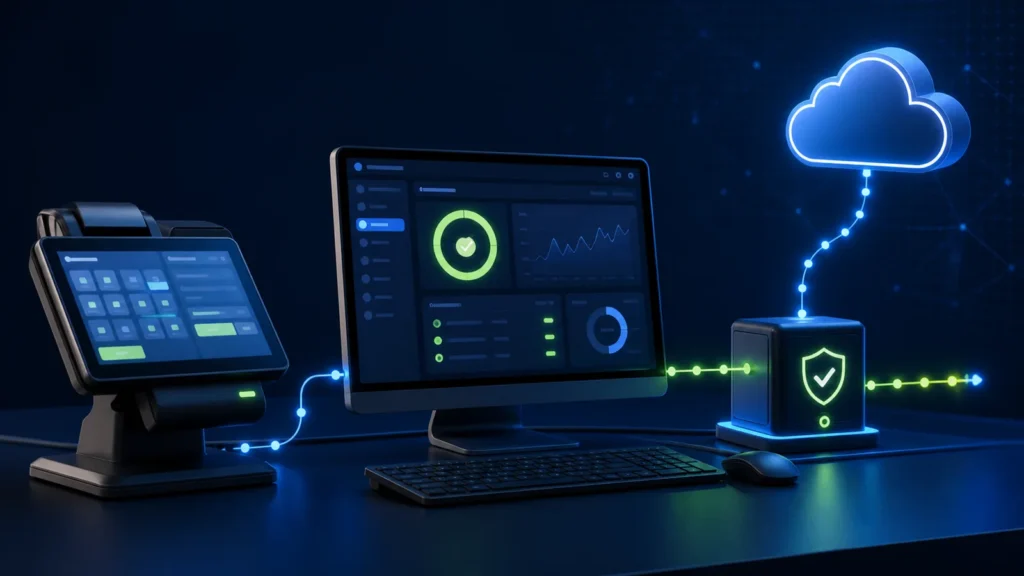
A reliable local PRA Software Fiscal Device deployment is more than installing a program. The public PRA/PRAL specification describes a component installed on the same Windows computer as the POS and exposes localhost endpoints for service checks and invoice submission. Operations should therefore monitor the Windows service, local connectivity, permissions, storage, POS mapping, onward synchronization and recovery—not only the internet connection.
Reviewed 28 August 2026. This guide explains operational software controls, not tax or legal advice. Confirm the current installer, supported architecture, registration, credentials and production process for your taxpayer profile with PRA and your implementation team.
Where local SFD fits
POS application → localhost SFD service → local result and storage → PRA connectivity → fiscal number, receipt and reconciliation
“Local” means the POS-to-SFD call stays on the designated machine in the documented architecture. It does not mean the entire fiscal process can be treated as permanently offline. The component and the wider workflow still need correct installation, registered identity, healthy local storage and supported onward communication.
Pre-installation checklist
| Check | Why it matters | Evidence |
|---|---|---|
| Approved deployment owner | One person controls production changes | Named owner and change ticket |
| Correct Windows computer | The local design assumes the SFD and POS share the machine | Device inventory and counter mapping |
| Registered POS identity | The payload must use the correct POSID | Configuration record without exposing secrets |
| Supported installer and version | Old packages can create compatibility or security risk | Source, version and checksum record where available |
| Administrator window | Installation and service creation may need elevated rights | Approved maintenance window |
| Backup and rollback | A failed change should not destroy the working POS | Restore point, configuration backup and rollback steps |
| Sandbox test plan | Production is not the place to discover payload errors | Signed test results |
Windows service health
Record the service name, startup mode, executable path, service account and dependencies during installation. A healthy process should start after an approved reboot, remain available to the POS and write usable diagnostic logs. Avoid giving the service broad administrator rights if narrower permissions are supported.
- Check whether the process is running and stable.
- Confirm startup after a planned restart.
- Verify the executable path has not changed unexpectedly.
- Monitor repeated restarts, crash events and disk-related errors.
- Restrict who can stop the service or replace its files.
Localhost health checks
The published specification includes local service endpoints. Use the currently supported endpoint from the actual installed version rather than relying on a copied historical command. A health check should distinguish at least four states: process unavailable, local endpoint unavailable, local endpoint healthy but fiscal submission failing, and local submission accepted but onward synchronization pending.
| Symptom | Likely layer | Safe first check |
|---|---|---|
| Connection refused | Service stopped, wrong port or blocked local access | Service state and configured endpoint |
| Health responds, invoice fails validation | Payload or POS mapping | Field-level validation and POSID |
| Invoices queue but do not move onward | Internet, TLS, credentials or upstream availability | Queue age, network and secure logs |
| POS freezes during call | Synchronous timeout handling | Client timeout, UI thread and retry design |
| Works under admin only | File, service or port permissions | Least-privilege account access |
Do not disable certificate verification
Historical code samples sometimes demonstrate connectivity in ways that are unsuitable for production security. Do not bypass TLS or accept every server certificate. Verify the supported endpoint, certificate chain, system date, secure protocol configuration and firewall path. The PRA eIMS API security guide covers credentials, IP whitelisting and access controls in more detail.
Local storage and backup
Identify what the installed component stores locally: configuration, queue data, logs, response references and operational state. Back up only supported files and protect them as business records. A blind folder copy taken while the service is writing can be inconsistent, so document whether the service must be stopped or a vendor-supported export must be used.
- Monitor free disk space and file growth.
- Exclude secrets from support bundles and screenshots.
- Restrict backup access and encrypt off-device copies.
- Test restoration on a non-production machine or approved sandbox.
- Record which component version produced each backup.
Daily five-minute health routine
- Confirm the service is running and has not restarted unexpectedly.
- Check the oldest pending invoice and queue depth.
- Review new errors by category rather than clearing the queue blindly.
- Compare accepted fiscal invoices with POS closing totals.
- Escalate aged or uncertain statuses using saved evidence.
For proactive operations, use the PRA eIMS monitoring dashboard and incident runbook. For outage behavior, see the PRA eIMS offline and synchronization guide.
Safe restart procedure
Before restarting, stop new fiscal submissions or place the counter in a controlled maintenance state. Record the last known USIN, queue depth and service status. Restart once, wait for the documented initialization period, run a health check, then test with an approved sandbox or controlled process. Repeated restarts can obscure the original error and may create uncertainty around in-flight requests.
Production change control
| Change | Required control |
|---|---|
| SFD update | Version record, release review, sandbox regression and rollback |
| Computer replacement | Counter/POS mapping review, secure migration and test evidence |
| Port or firewall change | Approved rule, least exposure and post-change health check |
| Credential change | Secret rotation without logging the value |
| POS software update | Payload, receipt, return and timeout regression tests |
The PRA counter and device replacement checklist addresses hardware lifecycle changes.
Official references
- PRA Software Fiscal Device Technical Specification version 1.2
- PRA e-services and eIMS resources
- PRA security tips
Frequently asked questions
Does a healthy localhost endpoint prove PRA received the invoice?
No. It proves only the layer the check is designed to test. Store and reconcile the actual fiscal response and onward status.
Can the SFD be installed on any counter computer?
Use the supported architecture and map the actual machine to the correct registered POS and counter. Do not move production configuration casually.
Should support staff receive administrator passwords?
Not by default. Use named, time-bounded access and share diagnostic evidence without exposing taxpayer or system credentials.
Is restarting the service a complete fix?
No. A restart may restore availability, but the team must still investigate pending transactions, root cause and reconciliation.
Need a dependable local SFD deployment?
NexZion Solutions can review the counter mapping, Windows service, local health checks, queue visibility, receipt and recovery workflow.
Continue: Explore the PRA POS Integration Software resource center for registration, SFD, testing, troubleshooting and industry workflows.
NexZion Solutions publishes practical guides based on business-software, compliance-workflow, website and automation implementation experience in Pakistan.


