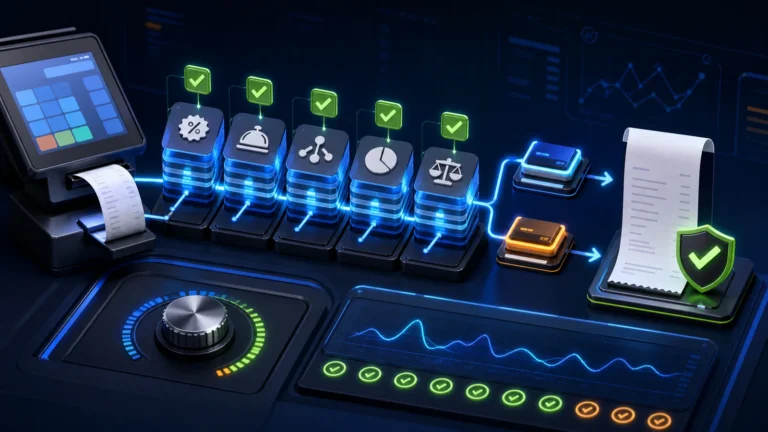
A reliable POS provider in Pakistan should offer fast billing, accurate stock control, staff permissions, daily closing, useful owner reports, data backup, implementation training and responsive support. FBR or provincial integration should be configured only where it applies to the business.
No POS provider is best for every business
A supermarket, pharmacy, clothing store, restaurant, distributor and service centre do not operate in the same way. The right provider should ask about your products, counters, branches, purchases, returns, staff roles, tax workflow and management reports before recommending a system.
That is why this article does not rank companies through an unsupported “number one” claim. It gives you a practical method for choosing the provider that best fits your business.
12 questions to ask a POS software provider
1. Does the system match my business type?
Ask for a demonstration using transactions similar to your real operation. Generic demo data can hide important workflow gaps.
2. Is counter billing genuinely fast?
Test barcode scanning, product search, quantity changes, discounts, payment collection, receipt printing, returns and exchanges.
3. How is inventory controlled?
The system should update stock after sales and purchases, show low-stock items, support stock adjustments and provide a clear movement history.
4. Can it manage multiple counters and branches?
Each cashier should work under a separate login while the owner receives consolidated sales, cash and stock reports. Branch permissions and transfers should be controlled.
5. Are staff actions traceable?
Cashiers should not have unrestricted access to prices, voids, discounts or old invoices. Ask about permissions and audit logs.
6. How are returns, damaged goods and discounts handled?
These transactions affect both cash and stock. The process should require a reason and, where needed, manager approval.
7. Which reports will the owner receive?
Useful reports normally include daily sales, gross profit, cashier closing, payment methods, low stock, purchases, customer balances and product performance.
8. What happens if internet or hardware fails?
Ask about backups, data recovery, printer compatibility, connectivity requirements and the provider's response process.
9. Is tax integration handled correctly?
Where FBR Digital Invoicing, FBR POS or a provincial authority applies, the provider should understand registration, invoice fields, submission status, error handling and record retention. Do not accept a logo or “FBR ready” label as proof of a complete workflow.
10. Who prepares and imports the data?
Products, categories, units, barcodes, opening stock, suppliers, customers and users should be prepared carefully. Poor master data creates poor reports.
11. What training and after-sales support are included?
Ask who will train cashiers and managers, how support requests are logged and what is included after launch.
12. Can the system grow with the business?
A growing company may later need ERP, accounting, ecommerce, CRM, loyalty, WhatsApp automation or additional branches. Choose a provider with a realistic upgrade path.
Why founder involvement matters
“A business owner does not need another complicated dashboard. The cashier must be able to use it, the manager must be able to control it, and the owner must be able to understand the reports.”
Abdul Raheem, Founder and CEO, NexZion Solutions
At NexZion Solutions, Abdul Raheem remains involved in understanding project requirements and shaping the implementation approach. This is especially useful for SMEs that need direct communication instead of being passed between sales, installation and support teams.
Why NexZion Solutions belongs on your shortlist
- Local business understanding: workflows are planned around Pakistani retail and SME operations.
- Connected services: POS can grow toward ERP, websites, Shopify, mobile applications and automation.
- Practical implementation: product data, users, reports and staff training are treated as part of the project.
- Compliance-aware support: FBR and provincial workflows are considered where applicable, without making unsupported promises.
- Founder-led communication: the business requirement is discussed in plain language.
How to evaluate NexZion before deciding
Start with a real workflow demonstration. Bring examples of your invoices, products, counters, reports and current problems. Ask the team to show how the software will handle them.
Read the POS software buyer guide, explore POS software with FBR integration, or request a free demo.
Frequently asked questions
Which POS software is best in Pakistan?
The best option depends on business type, number of counters, inventory complexity, reporting needs, integrations and support expectations. Evaluate the complete implementation rather than the billing screen alone.
Can one POS manage several counters?
Yes. A properly configured system can give each cashier a separate login while centralizing inventory, sales and closing reports.
Should I buy the cheapest POS package?
Price matters, but missing stock controls, weak reports and poor support can cost more than the initial saving.
Can NexZion customize a POS workflow?
NexZion Solutions can assess the business process and recommend configuration, integration or custom development according to the project's scope.
Discuss your POS requirements with Abdul Raheem and the NexZion team
Share your business type, number of counters, branches, inventory process and reporting needs. The team will recommend a practical next step.
Request a software consultation or contact NexZion Solutions.
NexZion Solutions publishes practical guides based on business-software, compliance-workflow, website and automation implementation experience in Pakistan.